5 Security Measures Every Webhook Endpoint Needs
webhookssecurity
Quick Summary — TL;DR
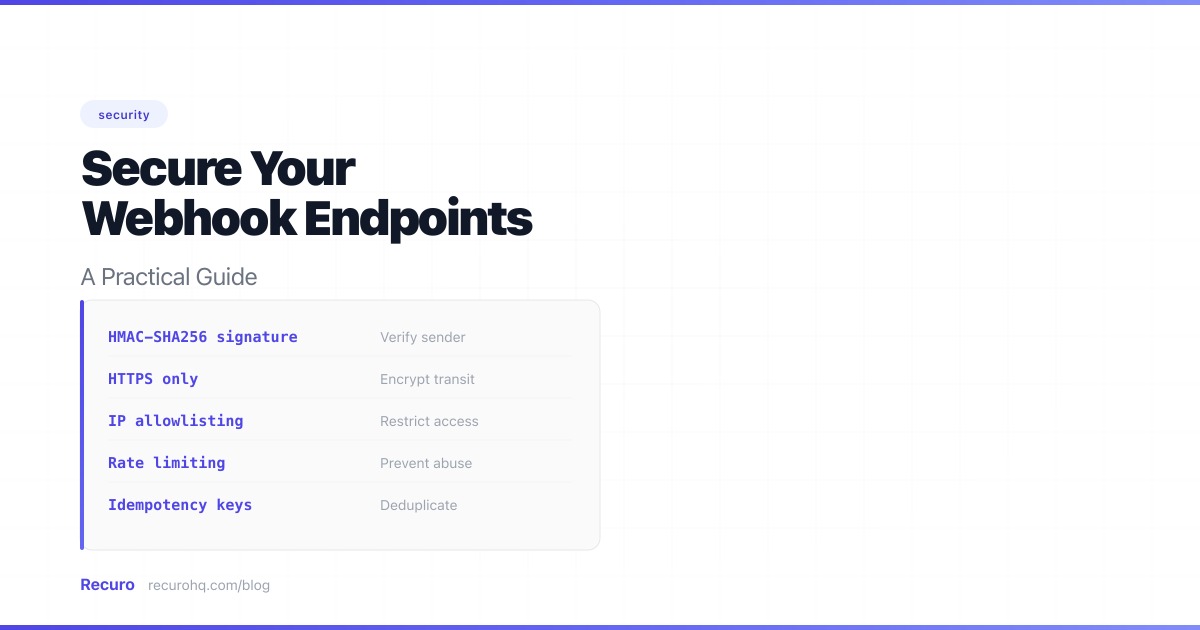
Your inbound webhook endpoint is a public URL that accepts POST requests and acts on the data it receives. Without proper security, anyone who discovers that URL can send fake events — triggering actions, corrupting data, or worse.
Here’s how to lock it down.
Quick reference of threats and mitigations:
| Threat | Risk | Solution |
|---|---|---|
| Spoofed requests | Attacker sends fake events | Verify signatures |
| Tampered payloads | Data modified in transit | HMAC validation |
| Malformed data | Bad input causes errors or injection | Validate payloads |
| Replay attacks | Old requests re-sent | Timestamp checks |
| Duplicate delivery | Same event processed twice | Idempotency keys |
| Provider timeouts | Retries flood your endpoint | Async processing |
| Unauthorized access | Unknown IPs hit your endpoint | IP allowlisting + HTTPS |
| Compromised secrets | Leaked signing key | Secret rotation |
| Data exposure | Sensitive data in payloads | Minimize payload data |
| Undetected breaches | Attacks go unnoticed | Logging and auditing |
| Stale integrations | Forgotten endpoints stay active | Subscription expiration |
| SSRF | Attacker tricks your server into calling internal services | URL validation |
| Volumetric abuse | Endpoint overwhelmed by requests | Rate limiting |
When you register a webhook with a service like Stripe, GitHub, or Shopify, you’re telling that service: “Send webhook events to this URL.” The service sends a POST request with a JSON payload whenever something happens — a payment succeeds, a pull request is merged, an order is placed.
The problem: HTTP POST requests don’t inherently prove who sent them. Without verification, your endpoint can’t distinguish between a legitimate event from Stripe and a forged request from an attacker. If your endpoint processes payments, updates user accounts, or modifies data, this is a serious vulnerability.
Most webhook providers sign each request with a shared secret using HMAC-SHA256. The webhook signature proves the request came from the expected sender and hasn’t been tampered with. Without this step, every other measure is secondary.
HMAC-SHA256(secret, request_body) and includes the result in a headerNode.js:
import crypto from 'crypto';
function verifySignature(payload, signature, secret) {  const expected = crypto    .createHmac('sha256', secret)    .update(payload, 'utf8')    .digest('hex');
  return crypto.timingSafeEqual(    Buffer.from(signature),    Buffer.from(expected)  );}
PHP:
function verifySignature(string $payload, string $signature, string $secret): bool{    $expected = hash_hmac('sha256', $payload, $secret);
    return hash_equals($expected, $signature);}
Python:
import hmacimport hashlib
def verify_signature(payload: bytes, signature: str, secret: str) -> bool: expected = hmac.new( secret.encode(), payload, hashlib.sha256 ).hexdigest() return hmac.compare_digest(expected, signature)The signature is computed over the exact bytes of the request body. If your framework parses the JSON before you access it and you re-serialize for verification, the bytes may differ (different key ordering, whitespace). Always capture the raw body before parsing.
Never compare signatures with == or ===. Standard string comparison returns early on the first mismatched character, leaking timing information. Use crypto.timingSafeEqual() (Node.js), hash_equals() (PHP), or hmac.compare_digest() (Python).
You can test your signature verification logic with our HMAC signature verifier tool — it has built-in presets for Stripe, GitHub, and Shopify. For a deeper dive into how signatures work, see our webhook signature glossary entry.
A valid signature proves the request is authentic, but you should still validate the data:
app.post('/webhooks/stripe', (req, res) => {  const event = JSON.parse(req.rawBody);
  // Only handle events we care about  const handled = ['payment_intent.succeeded', 'customer.subscription.deleted'];  if (!handled.includes(event.type)) {    return res.status(200).json({ received: true });  }
  // Validate the referenced resource exists  const customer = await db.customers.findByStripeId(event.data.object.customer);  if (!customer) {    console.warn(`Unknown customer: ${event.data.object.customer}`);    return res.status(200).json({ received: true });  }
// Process the event...});An attacker could intercept a legitimate signed webhook and re-send it later. To prevent this, many providers include a timestamp in the signature:
t parameter in the Stripe-Signature headerX-Slack-Request-TimestampReject requests with old timestamps:
const timestamp = parseInt(req.headers['x-webhook-timestamp']);const fiveMinutesAgo = Math.floor(Date.now() / 1000) - 300;
if (timestamp < fiveMinutesAgo) {  return res.status(401).json({ error: 'Request too old' });}
Important: include the timestamp in the HMAC computation. If the timestamp is sent as a separate, unsigned header, an attacker can replace it with a fresh value while replaying the old body. Stripe and Slack both include the timestamp in the signed payload — verify your provider does the same.
Webhooks are delivered with at-least-once delivery semantics, not exactly once. Network issues, timeouts, and retries mean your endpoint may receive the same event multiple times. If your handler isn’t idempotent, you’ll process duplicates — double-charging customers, sending duplicate emails, or creating duplicate records.
The fix: Use the event’s unique ID as an idempotency key.
app.post('/webhooks/stripe', async (req, res) => {  const event = JSON.parse(req.rawBody);
  // Check if we've already processed this event  const existing = await db.processedEvents.findByEventId(event.id);  if (existing) {    return res.status(200).json({ received: true });  }
  // Process the event  await handleEvent(event);
  // Record that we've processed it  await db.processedEvents.create({ eventId: event.id });
res.status(200).json({ received: true });});Webhook providers expect a fast response. If your endpoint takes too long, the provider will assume delivery failed and retry — potentially causing duplicates. Most providers have a timeout of 5-30 seconds.
If processing takes time, queue it:
app.post('/webhooks/stripe', async (req, res) => {  // Verify signature first  if (!verifySignature(req.rawBody, req.headers['stripe-signature'], secret)) {    return res.status(401).end();  }
  // Queue for async processing — don't process inline  await queue.add('process-stripe-webhook', {    eventId: event.id,    payload: req.rawBody,  });
  // Return 200 immediately  res.status(200).json({ received: true });});
This way your endpoint responds in milliseconds. The actual work happens in a background job with proper retry logic.
Some providers publish their IP ranges. Where available, restrict your webhook endpoint to only accept requests from those IPs:
Always use HTTPS for webhook URLs. Webhook payloads contain sensitive data — customer emails, payment amounts, account identifiers. HTTPS encrypts the payload in transit and prevents man-in-the-middle attacks.
For high-security integrations, consider mutual TLS. Standard HTTPS only verifies the server’s identity — the client (webhook provider) is unauthenticated at the transport layer. With mTLS, both sides present certificates:
This gives you cryptographic proof of the sender’s identity at the network level, before your application code even runs. It’s overkill for most webhooks, but valuable for financial services, healthcare, and other regulated industries where HMAC alone may not satisfy compliance requirements.
If your webhook provider uses a known TLS certificate, you can pin it — meaning your server only accepts connections presenting that specific certificate or public key. This prevents attacks where a compromised CA issues a fraudulent certificate for the provider’s domain.
Certificate pinning is brittle (you must update pins when the provider rotates certificates), so use it only when the threat model justifies it.
Don’t use predictable URLs like /webhooks or /api/webhook. Use a path that includes a random token:
https://yourapp.com/webhooks/stripe/a8f3k9x2m4This isn’t a replacement for signature verification, but it adds an extra layer — an attacker needs to discover the URL before they can even attempt to send fake events.
Signing secrets can leak — through logs, config dumps, or team members who leave. Rotate them periodically:
function verifySignatureWithRotation(payload, signature, secrets) {  return secrets.some(secret => {    const expected = crypto      .createHmac('sha256', secret)      .update(payload, 'utf8')      .digest('hex');    return crypto.timingSafeEqual(      Buffer.from(signature),      Buffer.from(expected)    );  });}
// During rotation, check both secretsconst isValid = verifySignatureWithRotation(  req.rawBody,  req.headers['x-webhook-signature'],  [process.env.WEBHOOK_SECRET_NEW, process.env.WEBHOOK_SECRET_OLD]);
Most providers (Stripe, GitHub, Twilio) support rolling secrets — they’ll sign with the new secret while continuing to include the old signature during a grace period. Check your provider’s documentation.
Sections 1-7 above focus on receiving webhooks securely. The next two sections — minimizing payload data and expiring subscriptions — apply when you are the one sending webhooks. If you only consume webhooks, you can skip to section 11 (SSRF prevention), which applies to all webhook receivers.
If you’re building a webhook provider (sending webhooks to your users’ endpoints), minimize the data in payloads. Instead of sending full records, send a reference:
// Bad: full customer record in the payload{ "event": "customer.updated", "data": { "id": "cus_123", "ssn": "123-45-6789", "credit_card": "4242..." }}
// Good: reference only — recipient fetches details via authenticated API{ "event": "customer.updated", "data": { "id": "cus_123" }}This way, even if the webhook is intercepted or the receiving endpoint is compromised, the attacker gets only an opaque ID — not sensitive data. The recipient calls your API (with proper authentication) to fetch the full record.
If you’re consuming webhooks, be aware that payloads may contain PII. Don’t log full payloads to general-purpose logging systems. Redact or exclude sensitive fields before storing.
Every webhook your endpoint receives should be logged — whether it passes verification or not. This gives you:
What to log:
function logWebhookEvent(req, verificationResult, processingResult) { logger.info('webhook_received', { timestamp: new Date().toISOString(), source_ip: req.ip, event_type: req.body?.type || 'unknown', event_id: req.body?.id || 'unknown', signature_valid: verificationResult, processing_status: processingResult, // Don't log the full payload — it may contain PII payload_size: req.headers['content-length'], user_agent: req.headers['user-agent'], });}Don’t log: full request bodies (PII risk), signing secrets, or raw signature headers (timing oracle if logs are exposed).
Set up alerts on anomalies: sudden drops in webhook volume (provider issues), spikes in failed verifications (attack attempts), or unexpected event types.
If you’re a webhook provider, build expiration into your subscription model. Webhook URLs that were valid a year ago may now point to decommissioned servers, acquired domains, or endpoints with different ownership.
If you’re consuming webhooks, audit your active registrations periodically. Remove subscriptions you no longer need — every active webhook is an attack surface.
The remaining sections apply to everyone consuming webhooks.
Server-Side Request Forgery (SSRF) is a critical risk when your webhook handler makes outbound requests based on webhook data. An attacker could send a webhook with a URL pointing to your internal network:
{ "event": "file.ready", "download_url": "http://169.254.169.254/latest/meta-data/iam/security-credentials/"}If your handler fetches download_url without validation, the attacker can read your cloud metadata, access internal services, or scan your private network.
Defenses:
evil.com at 169.254.169.254)import { isIP } from 'net';import dns from 'dns/promises';
const PRIVATE_RANGES = [ /^127\./, /^10\./, /^172\.(1[6-9]|2\d|3[01])\./, /^192\.168\./, /^169\.254\./, /^0\./, /^fc00:/i, /^fe80:/i, /^::1$/,];
async function isSafeUrl(url) { const parsed = new URL(url);
if (!['http:', 'https:'].includes(parsed.protocol)) return false;
const addresses = await dns.resolve4(parsed.hostname); return !addresses.some(ip => PRIVATE_RANGES.some(range => range.test(ip)) );}SSRF is underrated as a webhook attack vector. Cloud metadata endpoints at 169.254.169.254 are reachable from inside most cloud providers — and an attacker who can get your server to fetch that URL has access to IAM credentials.
Even with signature verification, your endpoint can be overwhelmed by volume. An attacker can flood it with requests (valid or not), causing resource exhaustion or increased infrastructure costs.
Apply rate limiting at multiple layers:
import rateLimit from 'express-rate-limit';
const webhookLimiter = rateLimit({  windowMs: 60 * 1000,  // 1 minute  max: 200,             // 200 requests per minute per IP  message: { error: 'Too many requests' },  standardHeaders: true,});
app.post('/webhooks/stripe', webhookLimiter, (req, res) => {  // ... handler});
Set limits generously enough to handle legitimate burst traffic (e.g., a flash sale sending hundreds of payment events) but tight enough to block abuse. Monitor your normal webhook volume to establish a baseline.
Different providers implement signing differently. Here’s a quick reference for the most common ones:
| Provider | Signature header | Algorithm | Includes timestamp | Verification docs |
|---|---|---|---|---|
| Stripe | Stripe-Signature | HMAC-SHA256 | Yes (t= prefix) | Signs timestamp.payload |
| GitHub | X-Hub-Signature-256 | HMAC-SHA256 | No | Signs raw body |
| Shopify | X-Shopify-Hmac-SHA256 | HMAC-SHA256 (Base64) | No | Signs raw body, Base64-encoded |
| Twilio | X-Twilio-Signature | HMAC-SHA1 (Base64) | No | Signs URL + sorted POST params |
| Slack | X-Slack-Signature | HMAC-SHA256 | Yes (X-Slack-Request-Timestamp) | Signs v0:timestamp:body |
| SendGrid | X-Twilio-Email-Event-Webhook-Signature | ECDSA | Yes (X-Twilio-Email-Event-Webhook-Timestamp) | Signs timestamp + payload |
| PayPal | Certificate-based | SHA256withRSA | Yes | Verify against PayPal cert |
Key differences to watch for:
Always read your specific provider’s documentation. The signing scheme matters — getting one detail wrong (Base64 vs hex, SHA1 vs SHA256, body vs URL+body) means verification will always fail.
A subtle attack vector: sending webhook-like requests with unexpected Content-Types. If your handler blindly parses the body as JSON regardless of the Content-Type header, it may behave differently than expected — or worse, trigger parser vulnerabilities.
app.post('/webhooks/stripe', (req, res) => {  // Reject anything that isn't JSON  if (req.headers['content-type'] !== 'application/json') {    return res.status(415).json({ error: 'Unsupported Media Type' });  }
  // Now safe to parse  const event = JSON.parse(req.rawBody);  // ...});
if (request()->header('Content-Type') !== 'application/json') { abort(415, 'Unsupported Media Type');}This is especially important if your framework supports multiple body parsers (JSON, XML, form-urlencoded). An attacker sending XML to a JSON endpoint could trigger XXE (XML External Entity) attacks if your XML parser isn’t hardened.
| Check | Status |
|---|---|
| Verify HMAC signatures on every request | Required |
| Use constant-time comparison for signatures | Required |
| Read the raw request body (not re-serialized JSON) | Required |
| Validate event types and required fields | Required |
| Make handlers idempotent (deduplicate by event ID) | Required |
| Use HTTPS for all webhook URLs | Required |
| Return 200 quickly, process async if needed | Recommended |
| Reject requests with old timestamps (replay protection) | Recommended |
| Log all webhook events (successes and failures) | Recommended |
| Rotate signing secrets periodically | Recommended |
| Validate URLs in payloads to prevent SSRF | Recommended |
| Rate-limit your webhook endpoint | Recommended |
| Restrict by IP where provider publishes ranges | Optional |
| Use unpredictable endpoint paths | Optional |
| Use mutual TLS for regulated industries | Optional |
| Pin provider certificates | Optional |
| Set expiration dates on webhook subscriptions | Optional |
| Avoid sending sensitive data in webhook payloads | Optional |
Before going to production:
http://127.0.0.1 and verify your handler refuses to fetch itWebhook security refers to the practices and mechanisms used to protect webhook endpoints from unauthorized access, data tampering, and abuse. Since webhook endpoints are publicly accessible URLs that accept HTTP POST requests, they need protection against spoofed requests, replay attacks, data interception, and denial-of-service attacks. Key measures include HMAC signature verification, HTTPS encryption, IP allowlisting, payload validation, and rate limiting.
To verify a webhook signature, compute an HMAC-SHA256 hash of the raw request body using the shared signing secret provided by the webhook sender. Then compare your computed hash with the signature included in the request header using a constant-time comparison function (like crypto.timingSafeEqual in Node.js, hash_equals in PHP, or hmac.compare_digest in Python). If the values match, the request is authentic and has not been tampered with. Always use the raw body bytes, not re-serialized JSON.
HMAC-SHA256 (Hash-based Message Authentication Code using SHA-256) is a cryptographic algorithm that combines a secret key with a message to produce a unique hash. Webhook providers use it because it solves two problems at once: it proves the request was sent by someone who knows the shared secret (authentication), and it proves the request body has not been modified in transit (integrity). It is fast, widely supported across programming languages, and considered cryptographically secure.
Yes. Without signature verification, any HTTP client can send a POST request to your webhook endpoint with a forged payload. An attacker who discovers your webhook URL can send fake events that trigger actions in your system — such as marking payments as completed, creating fake accounts, or modifying data. HMAC signature verification is the primary defense: without the shared signing secret, an attacker cannot produce a valid signature.
To prevent replay attacks, check the timestamp included in the webhook request (most providers include one in the signature header). Reject any request where the timestamp is older than a short window, typically 5 minutes. Make sure the timestamp is part of the signed payload so an attacker cannot replace it. For providers that do not include timestamps, use the event's unique ID as an idempotency key to ensure each event is processed only once.
IP allowlisting adds a useful layer of defense but should not be your only security measure. Many webhook providers (Stripe, GitHub, Shopify) publish their IP ranges, and restricting your endpoint to those IPs blocks unauthorized sources at the network level. However, IP ranges can change, and spoofing source IPs is possible in some network configurations. Always combine IP allowlisting with HMAC signature verification for defense in depth.
Recuro handles cron scheduling, retries, alerts, and execution logs — so you can focus on building your product.
No credit card required