25 Ready-to-Use Cron Expressions for Common Schedules
cronreference
Quick Summary — TL;DR
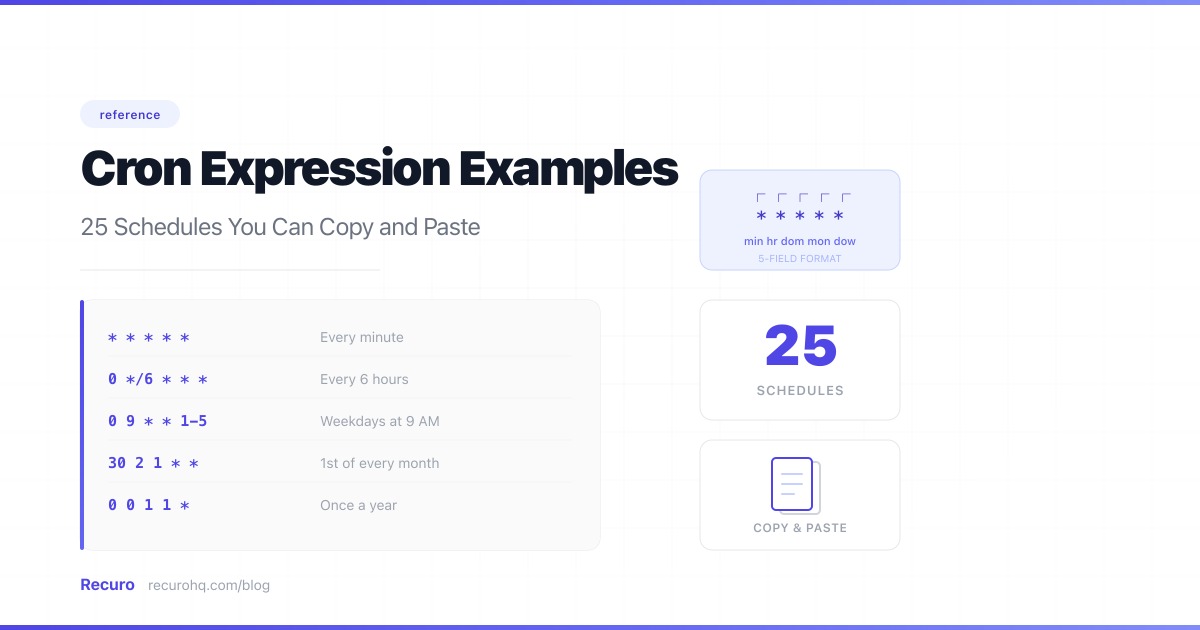
25 ready-to-use schedules organized by frequency. Copy the one you need.
Each expression uses the standard five-field format: minute, hour, day-of-month, month, day-of-week. If you need a refresher on operators like *, /, and ,, see the cron syntax cheat sheet.
| Schedule | Expression | Notes |
|---|---|---|
| Every minute | * * * * * | Useful for health checks |
| Every 5 minutes | */5 * * * * | Good for polling APIs |
| Every 10 minutes | */10 * * * * | Dashboard refreshes |
| Every 15 minutes | */15 * * * * | Common for sync jobs |
| Every 30 minutes | */30 * * * * | Report generation |
Need sub-minute scheduling? Standard cron tops out at one-minute granularity — there’s no way to express “every 30 seconds” in a cron expression. If you need second-level intervals, use a loop with a sleep inside a once-per-minute cron job, or use a scheduler that supports sub-minute intervals natively.
| Schedule | Expression | Notes |
|---|---|---|
| Every hour (on the hour) | 0 * * * * | Cache invalidation |
| Every 2 hours | 0 */2 * * * | Data aggregation |
| Every 6 hours | 0 */6 * * * | Digest emails |
| Every hour during business hours (9–17) | 0 9-17 * * * | Only during work hours |
| Schedule | Expression | Notes |
|---|---|---|
| Once a day at midnight | 0 0 * * * | Classic daily cleanup |
| Once a day at 6 AM | 0 6 * * * | Morning report |
| Once a day at 9 AM UTC | 0 9 * * * | Start-of-business trigger |
| Twice a day (9 AM and 9 PM) | 0 9,21 * * * | Two-pass sync |
| Every day at 11:30 PM | 30 23 * * * | End-of-day summary |
| Schedule | Expression | Notes |
|---|---|---|
| Every Monday at 9 AM | 0 9 * * 1 | Weekly standup reminder |
| Every Friday at 5 PM | 0 17 * * 5 | Weekly report |
| Weekdays only at 8 AM | 0 8 * * 1-5 | Skip weekends |
| Weekends only at noon | 0 12 * * 0,6 | Weekend maintenance |
| Every Wednesday and Friday at 3 PM | 0 15 * * 3,5 | Bi-weekly deploys |
| Every Monday and Thursday at 6 AM | 0 6 * * 1,4 | Bi-weekly digest |
| Schedule | Expression | Notes |
|---|---|---|
| First day of every month at midnight | 0 0 1 * * | Monthly billing |
| 15th of every month at noon | 0 12 15 * * | Mid-month check-in |
| Last weekday of every month | 0 18 28-31 * 1-5 | Approximate — run and check date in your handler |
| Every quarter (Jan, Apr, Jul, Oct 1st) | 0 0 1 1,4,7,10 * | Quarterly reports |
| Once a year on Jan 1st | 0 0 1 1 * | Annual cleanup |
Here are cron expressions paired with specific use cases — copy these directly into your scheduler:
| Use case | Expression | Why this schedule |
|---|---|---|
| SSL certificate expiry check | 0 9 * * 1 | Weekly is enough; certs expire in 90 days |
| Database backup | 0 2 * * * | 2 AM avoids peak traffic |
| Stale session cleanup | 0 */4 * * * | Every 4 hours keeps the sessions table small |
| Invoice generation | 0 6 1 * * | 1st of month, early morning before business hours |
| Trial expiration emails | 0 10 * * * | 10 AM in the user’s likely timezone for better open rates |
| Exchange rate sync | 0 */2 * * 1-5 | Every 2 hours on weekdays (markets are closed on weekends) |
| Sitemap regeneration | 30 3 * * * | 3:30 AM; offset from midnight to avoid contention |
| Cache warming | */5 * * * * | Every 5 minutes keeps cache hot |
| Abandoned cart reminders | 0 11,18 * * * | 11 AM and 6 PM — two nudges per day |
| Weekly analytics export | 0 1 * * 0 | Sunday at 1 AM, after the full week’s data is in |
When both day-of-month and day-of-week are set, most cron daemon implementations run the job when either condition is met, not both. This is a genuine gotcha that’s been confusing developers for decades — the cron man page buries it, and nothing warns you when you write the expression:
# You might think: "1st of the month, but only if it's a Monday"# Actually means: "Every 1st of the month AND every Monday"0 9 1 * 1To run only on the 1st Monday of the month, handle the logic in your application code and schedule the job to run every Monday:
# Run every Monday at 9 AM, check the date in your handler0 9 * * 10 0 31 * * runs only in months with 31 days — it silently skips February, April, June, September, and November. If you want “last day of the month,” there’s no native cron expression for it. Use 0 0 28-31 * * and check the date in your handler.
If a job takes 10 minutes and runs every 5 minutes, you’ll have overlapping executions. Two instances of your sync job writing to the same records simultaneously. Two billing runs processing the same invoices, charging customers twice. The job succeeds from cron’s perspective — it ran, it exited 0. The data is the thing that’s wrong, and it’s often subtly wrong in ways that take hours to spot.
The tricky part: this only happens under load. In development your jobs finish in 2 seconds. In production, with a real dataset, they take 12 minutes. And suddenly your 5-minute interval is a problem.
Solutions:
*/N doesn’t mean “every N from the last run”*/10 * * * * means “every minute divisible by 10” (0, 10, 20, 30, 40, 50) — not “10 minutes after the last execution.” If your job runs at :10 and takes 12 minutes, the :20 trigger still fires on schedule. Cron is clock-based, not interval-based.
* * * * * with a specific hour still fires every minute of that hour — not once.0 9 * * 1 is meaningless without context — add a label like “Weekly Monday standup reminder” alongside it.Every expression above works directly with Recuro’s cron scheduler. Paste the expression, point it at any HTTP endpoint — Recuro handles execution, retries, and alerting.
Recuro handles cron scheduling, retries, alerts, and execution logs — so you can focus on building your product.
No credit card required