HTTP Retry Logic: Exponential Backoff With Jitter (Code Examples)
retryhttp
Quick Summary — TL;DR
When an HTTP request fails, the instinctive response is to try again immediately. This works for a single request — but when your API client, microservice, or background job retries at the same moment as every other caller, you’ve created a stampede that makes the problem worse.
Exponential backoff solves this by spacing out retries with increasing delays. This guide covers the algorithm, copy-pasteable implementations in three languages, and the production libraries you should actually use.
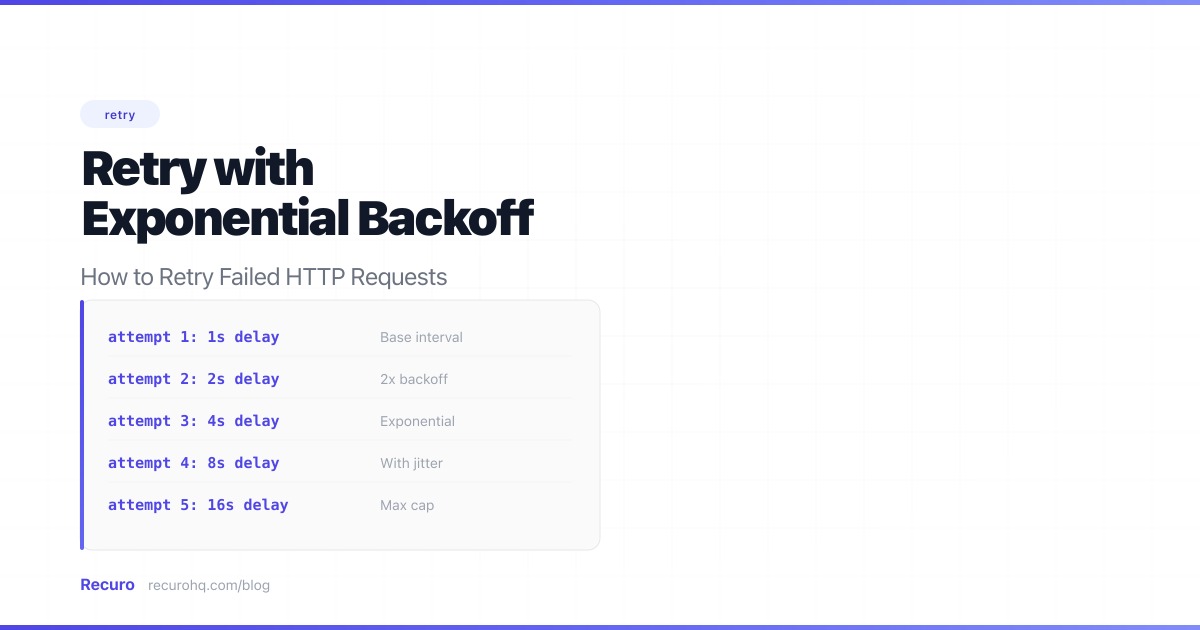
Exponential backoff is a retry strategy where each subsequent attempt waits longer than the last. The delay typically doubles with each retry:
| Attempt | Delay |
|---|---|
| 1st retry | 1 second |
| 2nd retry | 2 seconds |
| 3rd retry | 4 seconds |
| 4th retry | 8 seconds |
| 5th retry | 16 seconds |
The formula is simple: delay = base_delay * 2^attempt
With a 1-second base delay, the first retry happens after 1 second, the second after 2 seconds, the third after 4 seconds, and so on. For longer-running background tasks you might use a 30-second base; for interactive API calls, 1-2 seconds is more appropriate.
Immediate retries cause three problems:
If your service makes 500 concurrent requests to a payment API that returns a 503, and they all retry instantly, that’s 500 more requests hitting an already-struggling service — a classic thundering herd problem. The extra load makes recovery harder, which causes more failures, which causes more retries.
Exponential backoff spreads the retries across time, giving the service room to recover instead of piling on.
If the failure is caused by a deployment or DNS propagation, the fix might take a few minutes. Immediate retries during that window are guaranteed to fail and waste compute, network bandwidth, and connection pool slots.
Many APIs enforce rate limits. Hammering them with retries can burn through your quota and cause failures in other parts of your system that depend on the same API. A payment integration that retries aggressively on failure might exhaust your Stripe request quota, breaking unrelated checkout flows for users who are actively trying to pay.
Not all failures are retryable:
Retry these (transient errors):
408 Request Timeout429 Too Many Requests (respect the Retry-After header if present)500 Internal Server Error502 Bad Gateway503 Service Unavailable504 Gateway TimeoutDon’t retry these (permanent errors):
400 Bad Request — your payload is wrong, retrying won’t fix it401 / 403 — authentication or authorization issue, not transient404 Not Found — the resource or endpoint doesn’t exist422 Unprocessable Entity — validation error in your request bodyThe distinction matters: transient errors resolve themselves (a server reboots, a deploy finishes, rate limit windows reset). Permanent errors mean something is wrong with your request — retrying it a thousand times won’t change the response.
The core logic is the same across languages — loop through attempts, catch both HTTP errors and network exceptions, and sleep for an exponentially increasing delay between each one.
async function fetchWithRetry(url, options = {}, maxRetries = 5) {  const baseDelay = 1000; // 1 second
  for (let attempt = 0; attempt <= maxRetries; attempt++) {    try {      const response = await fetch(url, options);
      if (response.ok) return response;
      // Don't retry client errors (except 408, 429)      if (response.status < 500 && response.status !== 408 && response.status !== 429) {        throw new Error(`HTTP ${response.status}: not retryable`);      }
      if (attempt === maxRetries) {        throw new Error(`HTTP ${response.status} after ${maxRetries} retries`);      }    } catch (error) {      // Network errors (DNS failure, connection refused, etc.)      // fall through to the retry delay — unless we're out of attempts      if (attempt === maxRetries) throw error;
      // Re-throw non-retryable errors immediately      if (error.message?.includes('not retryable')) throw error;    }
    const delay = baseDelay * Math.pow(2, attempt);    await new Promise(resolve => setTimeout(resolve, delay));  }}
Note the try/catch around fetch(). Without it, network-level errors like DNS failures or connection resets throw exceptions that skip the retry loop entirely — which is usually when you need retries most.
import timeimport requests
def fetch_with_retry(url, max_retries=5, base_delay=1): for attempt in range(max_retries + 1): try: response = requests.get(url, timeout=30) response.raise_for_status() return response except requests.exceptions.RequestException as e: if attempt == max_retries: raise # Don't retry 4xx errors (except 408, 429) if hasattr(e, 'response') and e.response is not None: status = e.response.status_code if status < 500 and status not in (408, 429): raise delay = base_delay * (2 ** attempt) time.sleep(delay)function fetchWithRetry(string $url, int $maxRetries = 5, int $baseDelay = 1): string{ for ($attempt = 0; $attempt <= $maxRetries; $attempt++) { try { $response = Http::timeout(30)->get($url);
if ($response->successful()) { return $response->body(); }
// Don't retry client errors (except 408, 429) if ($response->status() < 500 && !in_array($response->status(), [408, 429])) { throw new RuntimeException("HTTP {$response->status()}: not retryable"); }
if ($attempt === $maxRetries) { throw new RuntimeException("HTTP {$response->status()} after {$maxRetries} retries"); } } catch (ConnectionException $e) { if ($attempt === $maxRetries) { throw $e; } }
sleep($baseDelay * (2 ** $attempt)); }}Pure exponential backoff has a flaw: if many clients fail at the same time, they’ll all retry at the same intervals, creating periodic spikes. Adding random jitter breaks up these waves:
// Full jitter (recommended) — random delay between 0 and the backoff valueconst delay = Math.random() * baseDelay * Math.pow(2, attempt);// Equal jitter — guarantees a minimum delay while adding randomnessconst calculated = baseDelay * Math.pow(2, attempt);const delay = calculated / 2 + Math.random() * (calculated / 2);Full jitter is the recommended default (it’s what AWS uses internally). It maximizes the spread of retries across the backoff window.
Retrying forever is dangerous. Set a cap — usually 3 to 5 retries — and then either:
With 5 retries and a 1-second base delay, the total retry window is about 31 seconds. With a 30-second base delay (more common in background jobs), it’s about 16 minutes — enough time for most transient issues to resolve.
When a server returns 429 Too Many Requests or 503 Service Unavailable, it may include a Retry-After header telling you exactly when to try again:
HTTP/1.1 429 Too Many RequestsRetry-After: 120The value is either seconds (120) or an HTTP date (Wed, 21 Oct 2026 07:28:00 GMT). Always check for this header before falling back to your exponential backoff calculation:
if (response.status === 429 || response.status === 503) { const retryAfter = response.headers.get('Retry-After'); if (retryAfter) { const seconds = parseInt(retryAfter); const delay = isNaN(seconds) ? new Date(retryAfter).getTime() - Date.now() // HTTP date : seconds * 1000; // seconds await new Promise(resolve => setTimeout(resolve, delay)); continue; }}Ignoring Retry-After and retrying sooner is a good way to get your API key revoked. Respect the header — it’s the server telling you the minimum wait time.
The implementations above are fine for learning and simple scripts. In production, use a battle-tested retry library instead of hand-rolling — they handle edge cases like maximum delay caps, retry-after headers, and configurable backoff strategies out of the box.
tenacity is the standard retry library for Python. It works with any function, not just HTTP calls:
from tenacity import retry, stop_after_attempt, wait_exponential, retry_if_exception_typeimport requests
@retry(    stop=stop_after_attempt(5),    wait=wait_exponential(multiplier=1, min=1, max=60),    retry=retry_if_exception_type(requests.exceptions.RequestException),)def call_payment_api(order_id):    response = requests.post(        "https://api.stripe.com/v1/charges",        json={"order_id": order_id, "amount": 2500},        timeout=30,    )    response.raise_for_status()    return response.json()
wait_exponential(multiplier=1, min=1, max=60) means: start at 1 second, double each time, cap at 60 seconds. tenacity also supports wait_exponential_jitter for built-in jitter.
axios-retry adds retry behavior to Axios with one line of configuration:
import axios from 'axios';import axiosRetry from 'axios-retry';
axiosRetry(axios, {  retries: 5,  retryDelay: axiosRetry.exponentialDelay, // 1s, 2s, 4s, 8s, 16s  retryCondition: (error) =>    axiosRetry.isNetworkOrIdempotentRequestError(error) ||    error.response?.status === 429,});
// Now every request made with axios automatically retries on failureconst response = await axios.get('https://api.example.com/data');
p-retry wraps any async function with retry logic — useful when you’re not using Axios:
import pRetry from 'p-retry';
const response = await pRetry( () => fetch('https://api.example.com/data').then(r => { if (!r.ok) throw new Error(`HTTP ${r.status}`); return r; }), { retries: 5, minTimeout: 1000, factor: 2 });Laravel’s HTTP client is built on Guzzle, which supports retry via middleware:
use Illuminate\Support\Facades\Http;
$response = Http::retry(5, function (int $attempt, $exception) {    return min(1000 * (2 ** $attempt), 60000); // exponential backoff, max 60s})->get('https://api.example.com/data');
Laravel’s retry() method handles the full loop — including exception catching and delay calculation. You can also pass a when callback to control which errors trigger a retry:
$response = Http::retry(5, 1000, function ($exception, $request) { return $exception instanceof ConnectionException || ($exception instanceof RequestException && $exception->response->status() >= 500);})->post('https://api.payment.com/charges', [ 'amount' => 2500,]);Knowing when to give up is as important as knowing how to retry. Retrying forever wastes resources and masks permanent failures. Use these signals to stop:
When retries are exhausted, the failure shouldn’t just disappear silently. Log it with enough context to debug later (URL, status code, response body, number of attempts), and send an alert if the operation was important.
Payment APIs like Stripe return 429 when you exceed your rate limit and occasional 500s during deploys. Your checkout flow should retry these transparently:
from tenacity import retry, stop_after_attempt, wait_exponential_jitter
@retry(stop=stop_after_attempt(3), wait=wait_exponential_jitter(initial=1, max=10))def create_charge(amount, customer_id):    response = requests.post("https://api.stripe.com/v1/charges", json={        "amount": amount,        "customer": customer_id,    }, timeout=30)    response.raise_for_status()    return response.json()
Three retries is enough here — if the payment API is down for more than a few seconds, you’re better off showing the user an error and letting them try again manually.
When scraping data or syncing records from a third-party API that enforces strict rate limits, you’ll hit 429s regularly. The key is respecting Retry-After:
import pRetry from 'p-retry';
async function fetchAllPages(baseUrl) {  let page = 1;  const results = [];
  while (true) {    const data = await pRetry(async () => {      const res = await fetch(`${baseUrl}?page=${page}`);      if (res.status === 429) {        const retryAfter = parseInt(res.headers.get('Retry-After') || '5');        await new Promise(r => setTimeout(r, retryAfter * 1000));        throw new Error('Rate limited');      }      if (!res.ok) throw new Error(`HTTP ${res.status}`);      return res.json();    }, { retries: 5, minTimeout: 2000 });
    results.push(...data.items);    if (!data.hasMore) break;    page++;  }
return results;}In a distributed system, one service calling another should always have retry logic. The downstream service might be restarting, deploying, or temporarily overloaded:
// In a Laravel service class$userProfile = Http::retry(3, function (int $attempt) { return 500 * (2 ** $attempt); // 1s, 2s, 4s})->get("http://user-service/api/users/{$userId}")->json();Keep retries short for synchronous calls (a user is waiting for the response). For async background work, you can afford longer backoff windows.
If your retries are part of recurring scheduled tasks — health checks, data syncs, webhook deliveries — you might benefit from a managed solution instead of building retry infrastructure into every endpoint.
Recuro handles configurable retry counts, automatic exponential backoff, alerts when retries are exhausted, and full execution logs for every attempt. Define your cron expression and endpoint (see the cron syntax cheat sheet for the full field reference), make sure your endpoints are idempotent so retries don’t cause duplicate side effects, and the retry logic is handled for you.
Exponential backoff is a retry strategy where each attempt waits exponentially longer than the last. The delay typically doubles: 1s, 2s, 4s, 8s, 16s, and so on. The formula is delay = base_delay * 2^attempt. This gives a failing service progressively more time to recover while reducing the load your retries add. Most implementations also add random jitter to prevent multiple clients from retrying at the exact same intervals.
3-5 retries is the sweet spot for most use cases. With a 1-second base delay and exponential backoff, 5 retries gives you about 31 seconds of coverage — enough for brief outages and rate limit windows. For background jobs where latency is less critical, you can increase to 8-10 retries with a longer base delay. Always set a maximum — retrying forever wastes resources and masks permanent failures.
No. A 400 Bad Request means your request payload is malformed or invalid. Retrying it will produce the same 400 every time because the problem is in what you sent, not in the server's ability to process it. The same applies to 401 (unauthorized), 403 (forbidden), 404 (not found), and 422 (unprocessable entity). The only 4xx errors worth retrying are 408 (request timeout) and 429 (too many requests), both of which are transient.
Jitter adds randomness to retry delays to prevent the thundering herd problem. Without jitter, if 1,000 clients all fail at the same time, they retry at identical intervals (1s, 2s, 4s...), creating periodic traffic spikes that can re-trigger the original failure. Full jitter randomizes each delay between 0 and the calculated backoff value, spreading retries evenly across the window. It is the approach recommended by AWS for distributed systems.
Use a library. Production retry logic needs to handle edge cases like maximum delay caps, Retry-After headers, distinguishing network errors from HTTP errors, and configurable backoff strategies. Libraries like tenacity (Python), axios-retry (Node.js), and Laravel's built-in Http::retry (PHP) cover all of this. Hand-roll only when you have unusual requirements that no library supports, or for learning purposes.
The core algorithm (exponential backoff with jitter) is the same, but the context differs. HTTP client retries happen in your code when calling an external API — you control the retry loop. Webhook retries happen on the sender's infrastructure when delivering events to your endpoint — the provider controls the retry schedule. Client retries are typically faster (seconds) with fewer attempts. Webhook retries often span hours or days with many more attempts, because the events must not be lost.
Recuro handles cron scheduling, retries, alerts, and execution logs — so you can focus on building your product.
No credit card required