How Webhooks Actually Work: Data Flow, Retries, and Signatures
webhooksarchitecturehttp
Quick Summary — TL;DR
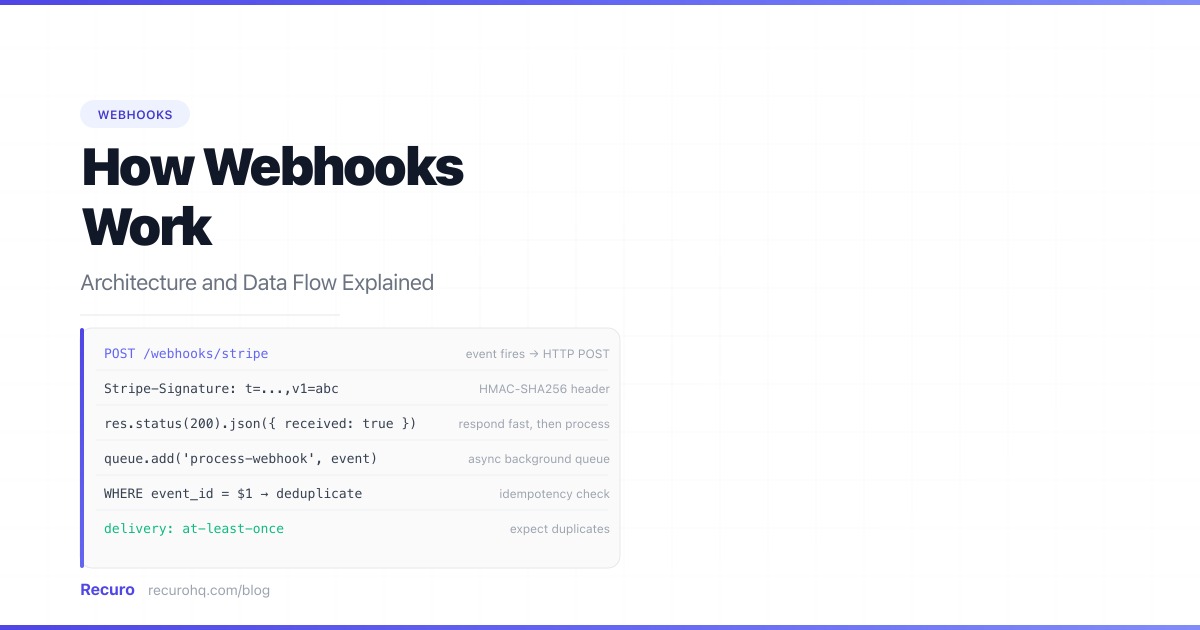
A webhook is how the internet taps you on the shoulder. Instead of your code polling an external service every few seconds to check for changes, the service calls your URL the moment something happens. Understanding exactly what occurs between “event fires” and “your handler runs” is what separates a webhook integration that works from one that drops events, processes duplicates, or silently accepts forged requests.
This is the complete picture: data flow, delivery mechanics, verification, async processing, idempotency, and debugging.
A webhook is an HTTP callback: an HTTP POST request that an external system sends to a URL you provide, triggered by an event on their side. You do not initiate the request. You register a URL, and the provider calls it.
The term “webhook” was coined by Jeff Lindsay in 2007 as “a pattern for augmenting or altering the behavior of a web page or web application with custom callbacks.” In practice today, webhooks are how nearly every SaaS product — Stripe, GitHub, Shopify, Twilio, Slack — notifies your application of events in real time.
The fundamental difference from a REST API: with a REST API, you call them. With a webhook, they call you. For a detailed side-by-side of both patterns, see webhooks vs APIs.
Here is every step that occurs from the moment an event fires to the moment your handler finishes processing it.
1. Event occurs on the provider side ↓2. Provider queues a webhook delivery ↓3. Provider sends HTTP POST to your endpoint ↓4. Your server receives the request ↓5. You verify the signature ↓6. You return HTTP 200 (fast — within 5-30s) ↓7. You enqueue the payload for async processing ↓8. Background worker processes the event ↓9. (If step 6 failed or timed out) → Provider retriesSteps 6 and 7 happen before step 8. This is the most commonly misunderstood part of webhook architecture. You return 200 before you finish processing — not after.
Every webhook delivery is an HTTP POST with three components: the URL, the headers, and the body.
You register your endpoint URL with the provider. This URL must be publicly accessible — localhost:3000 does not work in production. Common patterns:
https://yourapp.com/webhooks/stripehttps://yourapp.com/webhooks/githubhttps://api.yourapp.com/v1/webhooks/shopifyUse a distinct path per provider. This makes routing, logging, and debugging much simpler than a single catch-all endpoint.
Providers send metadata in HTTP headers. The most important ones:
| Header | Purpose |
|---|---|
Content-Type | Always application/json (occasionally application/x-www-form-urlencoded) |
X-Stripe-Signature / X-Hub-Signature-256 | HMAC signature for verification |
X-GitHub-Event / X-Stripe-Event | The event type |
X-Request-Id / X-Idempotency-Key | Unique delivery ID for deduplication |
User-Agent | Identifies the provider (Stripe/1.0, GitHub-Hookshot/...) |
Always capture the raw body before parsing. HMAC verification runs on the raw bytes, not the parsed JSON. Parsing first and re-serializing will cause verification to fail.
The body is a JSON object. The structure varies by provider, but most follow one of two patterns:
Fat payload — the full resource is included:
{ "id": "evt_1OaBcDEfGhIjKlMn", "type": "payment_intent.succeeded", "created": 1711929600, "data": { "object": { "id": "pi_3OaBcDEfGhIjKlMn1234", "amount": 4999, "currency": "usd", "status": "succeeded", "customer": "cus_OaBcDEfGhIjKlMn", "metadata": { "order_id": "ord_789" } } }}Slim payload — only the event type and resource ID are included. You call the API for full details:
{ "id": "evt_1OaBcDEfGhIjKlMn", "type": "payment_intent.succeeded", "data": { "object": { "id": "pi_3OaBcDEfGhIjKlMn1234" } }}Stripe uses the fat payload pattern by default but recommends fetching the resource via API after verification. GitHub uses slim payloads for most events.
Webhook providers guarantee at-least-once delivery: every event will be delivered to your endpoint at least one time, but possibly more. There is no guarantee of exactly-once delivery.
You will receive duplicates when:
This is not a defect. It is the correct behavior for a reliable distributed system. Your job is to handle it gracefully with idempotency (covered below).
Providers retry failed deliveries on a schedule. The specifics differ, but all use exponential backoff with a maximum retry count:
| Provider | Retry schedule |
|---|---|
| Stripe | 4 retries over 72 hours (1h, 4h, 8h, 24h) |
| GitHub | 3 retries over several hours |
| Shopify | Up to 19 retries over 48 hours |
| Twilio | 3 retries with 1-hour intervals |
A delivery is considered failed if your endpoint returns a non-2xx status code, throws a connection error, or does not respond within the timeout window (5–30 seconds depending on provider). For a deep dive on retry patterns, see webhook retry best practices.
Most providers time out webhook deliveries after 5–30 seconds. Stripe times out at 30 seconds. GitHub times out at 10 seconds. If your handler takes longer than the timeout, the provider considers the delivery failed and schedules a retry — even if your code eventually processes the event successfully.
This is why async processing is not optional. It is the only way to guarantee you respond within the timeout window regardless of how complex the processing is.
Here is a minimal Express.js handler that does everything correctly: verifies the signature, returns 200 fast, and queues the work.
import express from 'express';import crypto from 'crypto';
const app = express();
// CRITICAL: Use express.raw() — not express.json() — for the webhook route.// HMAC verification requires the raw request bytes.app.use('/webhooks/stripe', express.raw({ type: 'application/json' }));
app.post('/webhooks/stripe', (req, res) => {  const signature = req.headers['stripe-signature'];  const secret = process.env.STRIPE_WEBHOOK_SECRET;
  // Step 1: Verify the signature  const expectedSig = crypto    .createHmac('sha256', secret)    .update(req.body) // raw Buffer, not parsed JSON    .digest('hex');
  if (!crypto.timingSafeEqual(    Buffer.from(signature.split(',').find(p => p.startsWith('v1=')).slice(3)),    Buffer.from(expectedSig)  )) {    return res.status(401).send('Invalid signature');  }
  // Step 2: Parse the payload  const event = JSON.parse(req.body);
  // Step 3: Return 200 immediately  res.status(200).json({ received: true });
  // Step 4: Enqueue for async processing (do NOT await)  queue.add('process-webhook', {    eventId: event.id,    type: event.type,    payload: event,  });});
The same logic in Python with Flask:
import hashlibimport hmacimport jsonimport osfrom flask import Flask, request, jsonify
app = Flask(__name__)
@app.route('/webhooks/stripe', methods=['POST'])def stripe_webhook():    payload = request.get_data()  # raw bytes    signature = request.headers.get('Stripe-Signature', '')    secret = os.environ['STRIPE_WEBHOOK_SECRET'].encode()
    # Verify HMAC signature    expected = hmac.new(secret, payload, hashlib.sha256).hexdigest()    received = next(        (p.split('=', 1)[1] for p in signature.split(',') if p.startswith('v1=')),        ''    )
    if not hmac.compare_digest(expected, received):        return jsonify(error='Invalid signature'), 401
    event = json.loads(payload)
    # Enqueue asynchronously (Celery, RQ, etc.)    process_webhook.delay(event['id'], event['type'], event)
    # Return 200 immediately    return jsonify(received=True), 200
Two details that trip up most implementations:
express.raw() not express.json() — parsing the JSON first corrupts the raw bytes needed for HMAC verification.crypto.timingSafeEqual() not === — constant-time comparison prevents timing attacks where an attacker could infer the secret by measuring response time differences.A webhook signature proves the request came from the provider, not a random attacker who discovered your endpoint URL.
The mechanism: the provider computes an HMAC-SHA256 hash of the request body using a shared secret. They send the hash in a header. You recompute the hash on your side using the same secret. If the hashes match, the request is authentic and the body has not been tampered with.
Provider side:  signature = HMAC-SHA256(secret, raw_body)  → Sends: POST /webhooks with header X-Signature: sha256={signature}
Your side:  expected = HMAC-SHA256(your_secret, raw_body)  valid = timing_safe_compare(received_signature, expected)
Every provider implements this slightly differently:
| Provider | Header | Format |
|---|---|---|
| Stripe | Stripe-Signature | t={timestamp},v1={signature} |
| GitHub | X-Hub-Signature-256 | sha256={signature} |
| Shopify | X-Shopify-Hmac-SHA256 | Base64-encoded signature |
| Twilio | X-Twilio-Signature | Proprietary scheme |
Stripe’s format includes a timestamp in the signature header. This enables replay attack protection: if the timestamp is more than 5 minutes old, reject the request even if the HMAC is valid. Without this, an attacker who captured a valid webhook could replay it hours later.
For a complete guide to all verification methods and security hardening, see how to secure your webhook endpoints.
You register your webhook URL with the provider — either through their dashboard or via their API.
Via API (Stripe example):
const stripe = require('stripe')(process.env.STRIPE_SECRET_KEY);
const endpoint = await stripe.webhookEndpoints.create({  url: 'https://yourapp.com/webhooks/stripe',  enabled_events: [    'payment_intent.succeeded',    'payment_intent.payment_failed',    'customer.subscription.deleted',    'invoice.payment_failed',  ],});
// Save endpoint.secret — this is your STRIPE_WEBHOOK_SECRET// It is only shown once at creation timeconsole.log('Webhook secret:', endpoint.secret);
Via GitHub API:
await fetch(`https://api.github.com/repos/{owner}/{repo}/hooks`, { method: 'POST', headers: { 'Authorization': `Bearer ${process.env.GITHUB_TOKEN}`, 'Content-Type': 'application/json', }, body: JSON.stringify({ name: 'web', active: true, events: ['push', 'pull_request', 'release'], config: { url: 'https://yourapp.com/webhooks/github', content_type: 'json', secret: process.env.GITHUB_WEBHOOK_SECRET, }, }),});Key things to save after registration:
Because delivery is at-least-once, your handler will occasionally process the same webhook event more than once. Idempotency means running the handler twice produces the same result as running it once.
The standard approach: track processed event IDs and skip events you have already handled.
async function processWebhookEvent(eventId, type, payload) {  // Check if already processed  const alreadyProcessed = await db.webhookEvents.findOne({    where: { eventId }  });
  if (alreadyProcessed) {    console.log(`Skipping duplicate event: ${eventId}`);    return; // idempotent — no-op  }
  // Process the event  switch (type) {    case 'payment_intent.succeeded':      await fulfillOrder(payload.data.object);      break;    case 'customer.subscription.deleted':      await downgradeAccount(payload.data.object.customer);      break;  }
  // Mark as processed (atomic upsert prevents race conditions)  await db.webhookEvents.upsert({    eventId,    type,    processedAt: new Date(),  });}
The deduplication store can be any persistent store: a database table, Redis with a TTL, or a queue with deduplication support. Use the event ID from the provider’s payload as the key — it is stable across retries.
For operations that are inherently idempotent (state checks, upserts, idempotency-key API calls), you may not need explicit deduplication. But for side effects with external impact — sending emails, charging payment methods, posting to Slack — always deduplicate.
The pattern is: receive fast, process slow.
Your HTTP handler does the minimum necessary to validate the request and return 200. The heavy work — database writes, API calls, email sending — happens in a background worker.
HTTP handler (< 200ms):  1. Verify signature  2. Parse payload  3. Write raw event to queue/database  4. Return 200
Background worker (no time limit):  5. Read event from queue  6. Check idempotency  7. Execute business logic  8. Mark event as processed
The right tool for step 3 depends on your stack:
If you do not have a queue, the minimum viable approach is to write the raw event JSON to a database table and have a background process poll that table. This is less efficient but still correct.
Everything so far has covered receiving inbound webhooks. If you are building a product that sends webhooks to your users’ endpoints, the architecture is mirrored.
You become the provider. Your responsibilities:
If you need to send webhooks on a schedule — for example, a daily data export POSTed to a customer’s endpoint — that is where a cron-based HTTP scheduler becomes useful. Recuro handles the scheduling, retry logic, and delivery logging for outbound webhook calls so you do not have to build that infrastructure from scratch.
Fat payloads. Signature in Stripe-Signature header with timestamp. Fetch the resource via API after verification (do not trust the payload data directly — it could be stale by the time you process it). Use the Stripe SDK’s constructEvent() for verified parsing.
const event = stripe.webhooks.constructEvent( req.body, // raw body Buffer req.headers['stripe-signature'], process.env.STRIPE_WEBHOOK_SECRET);// Throws if invalid — no need to manually verifyEvent type in X-GitHub-Event header. Signature in X-Hub-Signature-256. Slim payloads — the full commit data, PR diff, etc., are in the payload but you may still need the API for additional context. Different events have completely different payload schemas.
HMAC in X-Shopify-Hmac-SHA256 as Base64. Topic (event type) in X-Shopify-Topic. Fat payloads. Requires accepting application/json and application/x-www-form-urlencoded content types depending on version.
Uses a proprietary HMAC scheme over the full URL including query parameters. The Twilio helper library handles verification. Payloads are form-encoded, not JSON.
Webhooks are harder to debug than API calls because you cannot trigger them from a terminal. The three standard tools:
Tools like ngrok, cloudflared, and localtunnel expose your local development server at a public URL. You register this URL with the provider for testing.
# ngrokngrok http 3000
# cloudflared (free, no account needed for basic use)cloudflare tunnel --url http://localhost:3000
For a full comparison of 7 local debugging tools, see how to test webhooks locally.
Stripe, GitHub, and most major providers have webhook delivery logs in their dashboards. You can see every delivery attempt, the request headers and body, the response status code, and the response time. You can replay failed deliveries directly from the dashboard during development.
In development, log every incoming webhook before verification so you can inspect payloads even when verification fails:
app.use('/webhooks', (req, res, next) => { if (process.env.NODE_ENV !== 'production') { console.log('Webhook received:', { path: req.path, headers: req.headers, body: req.body?.toString?.(), }); } next();});Remove or gate this behind an environment check before deploying to production — logging raw webhook bodies can expose sensitive customer data.
Webhooks and REST APIs are complementary tools, not alternatives. See webhooks vs APIs for the full comparison. The short version:
| Need | Use |
|---|---|
| Get notified when an event happens | Webhook |
| Fetch data on demand | REST API |
| Take an action (create, update, delete) | REST API |
| Receive real-time updates without polling | Webhook |
| Filter or query data | REST API |
| React to third-party events | Webhook |
Most production integrations use both: register webhooks via the API, receive events via webhook, then call the API for full resource details or to perform follow-up actions. For a comparison with polling, see webhooks vs polling.
Webhooks let external systems notify you. If you need to make scheduled HTTP requests — POSTing to an API on a cron schedule, triggering a build pipeline daily, sending a recurring webhook to your own service — Recuro handles the scheduling, retries, and failure alerts without you building any infrastructure. Define a cron expression, point it at a URL, and every execution is logged with status code, response body, and timing. Create a free account and run your first scheduled HTTP request in under a minute.
A webhook is an HTTP POST request that a server sends to a URL you provide when a specific event occurs. Instead of your application asking the server for updates on a schedule (polling), the server calls your URL the moment something happens. You register a URL, and the provider delivers event notifications to that URL automatically.
With an API, your code initiates the request — you call the server when you need data. With a webhook, the server initiates the request — it calls your URL when an event occurs. APIs are request-response (bidirectional: you can read, create, update, delete). Webhooks are one-directional: the server pushes event notifications to you. Most integrations use both together: APIs for actions and queries, webhooks for real-time event notifications.
Your webhook endpoint is a public URL that anyone on the internet can POST data to. Without signature verification, an attacker who discovers your endpoint can send forged events — fake payment confirmations, fabricated order data, or triggering actions in your system. Signature verification uses HMAC-SHA256 with a shared secret to prove the request came from the legitimate provider and that the payload was not tampered with in transit.
Most webhook providers time out after 5–30 seconds. If your handler takes longer — because it writes to a database, calls external APIs, or sends emails — the provider marks the delivery as failed and retries, even if your code eventually completes successfully. This creates duplicate processing. By returning 200 immediately and doing the heavy work in a background queue, you guarantee a fast response regardless of processing complexity, and retries only happen when you genuinely did not receive the event.
Webhook providers guarantee they will deliver every event to your endpoint at least once, but they do not guarantee exactly once. Network issues, timeouts, and non-2xx responses cause retries, which means you can receive the same event multiple times. Your handler must be idempotent — processing the same event twice should produce the same result as processing it once. The standard approach is to track processed event IDs in a database and skip duplicates.
Use a local tunnel tool to expose your localhost server at a public URL. ngrok (ngrok http 3000) and cloudflared (cloudflare tunnel --url http://localhost:3000) are the most common options. Register the tunnel URL with the provider's webhook settings for your development credentials. Most providers also have a test mode or replay feature in their dashboard that lets you resend past events without triggering real transactions. For a comparison of all local testing tools, see the guide on how to test webhooks locally.
Webhooks are designed for event-driven notifications — a server calls your URL when something happens. If you need to make HTTP requests on a schedule (for example, calling an API every hour, triggering a build pipeline nightly, or sending a recurring POST to an external service), that is a scheduled HTTP request rather than a webhook. Tools like Recuro handle scheduled outbound HTTP calls with cron expressions, automatic retries, and failure alerts.
Recuro handles cron scheduling, retries, alerts, and execution logs — so you can focus on building your product.
No credit card required