Webhooks vs WebSockets: A Developer's Decision Guide
webhookswebsocketsarchitectureapi
Quick Summary — TL;DR
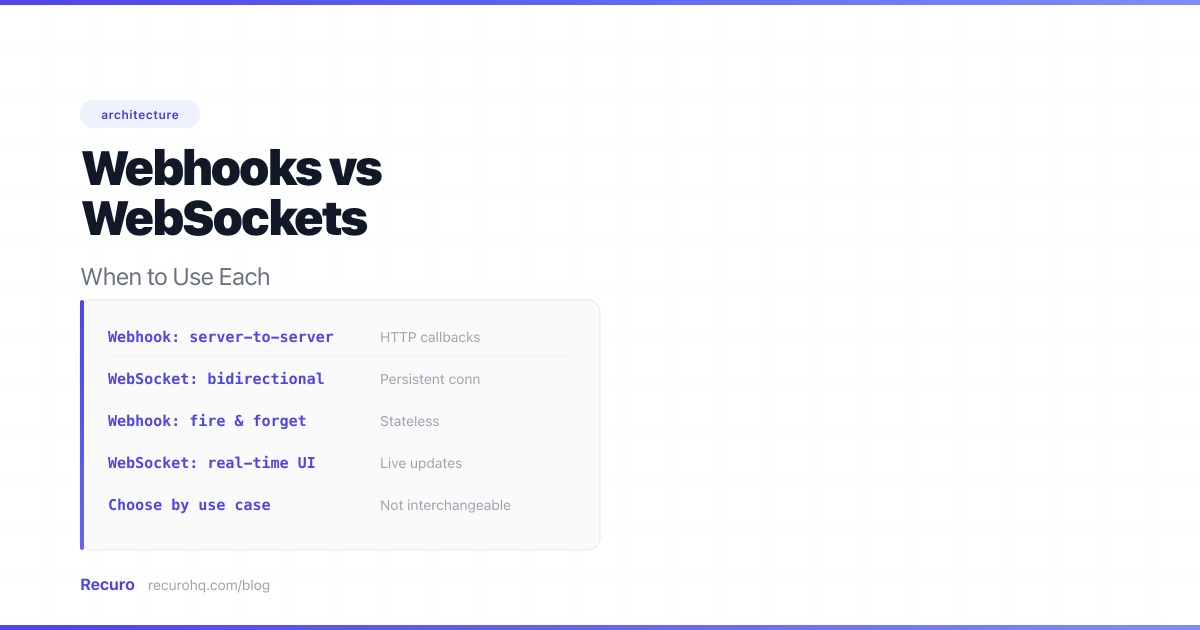
Webhooks and WebSockets both push data in real time, but they solve fundamentally different problems. Webhooks are HTTP callbacks between servers — one system notifies another when an event occurs. WebSockets are persistent connections between a server and a client — data flows in both directions as long as the connection stays open. For a comparison of webhooks against the pull model, see webhooks vs polling. For a broader look at push vs request-response patterns, see webhooks vs APIs.
Choosing wrong does not just cost performance. It costs engineering time — building retry infrastructure you did not need, or scaling stateful connections you could have avoided.
A webhook is an HTTP callback. When an event occurs on the source system, it sends an HTTP POST to a URL you registered. The request contains a payload describing the event. Your server processes it and returns a status code.
// Stripe sends a webhook when a payment succeedsapp.post('/webhooks/stripe', (req, res) => {  const event = req.body;
  // Verify signature first  const sig = req.headers['stripe-signature'];  const verified = stripe.webhooks.constructEvent(req.body, sig, endpointSecret);
  if (verified.type === 'payment_intent.succeeded') {    activateSubscription(verified.data.object.customer);  }
  res.status(200).send('OK');});
The connection opens, delivers the payload, and closes. There is no persistent state between deliveries. Each webhook is an independent HTTP request.
WebSockets start as an HTTP request that upgrades to a persistent, full-duplex TCP connection. Once established, either side can send messages at any time without the overhead of new HTTP requests.
// Browser connects to a WebSocket server for live notificationsconst ws = new WebSocket('wss://app.example.com/ws/notifications');
ws.onopen = () => {  // Authenticate after connection  ws.send(JSON.stringify({ type: 'auth', token: sessionToken }));};
ws.onmessage = (event) => {  const data = JSON.parse(event.data);
  if (data.type === 'new_order') {    updateDashboard(data.order);  }
  if (data.type === 'price_update') {    renderNewPrice(data.ticker, data.price);  }};
ws.onclose = () => {  // Reconnect with exponential backoff  setTimeout(connect, retryDelay);  retryDelay = Math.min(retryDelay * 2, 30000);};
The connection stays open for minutes, hours, or days. Messages flow in both directions with minimal framing overhead — no HTTP headers on every message.
| Factor | Webhooks | WebSockets |
|---|---|---|
| Connection | One HTTP request per event | Persistent TCP connection |
| Direction | Server → server (unidirectional) | Bidirectional |
| Latency | 100-500ms per delivery (new HTTP connection) | Sub-10ms (connection already open) |
| Overhead per message | Full HTTP headers (~500-2000 bytes) | 2-14 bytes framing |
| Server state | Stateless — no connection tracking | Stateful — must track every connected client |
| Scaling | Horizontal scaling is trivial | Requires sticky sessions or shared state |
| Delivery guarantee | At-least-once with retries | Best-effort (lost on disconnect) |
| Firewall friendliness | Excellent — standard HTTPS on port 443 | Good — uses port 443 but some proxies interfere |
| Receiver requirement | Publicly accessible HTTP endpoint | Any TCP client (browser, app, server) |
| Best for | Server-to-server event notification | Real-time user-facing features |
Webhooks are the right choice when the receiver is a server, events are relatively infrequent, and reliability matters more than latency.
Payment processor notifying your backend about a successful charge. Shipping provider updating order status. Git hosting service telling your CI pipeline about a push. These are server-to-server notifications where the receiver processes the event asynchronously.
# Your server receives a webhook from a payment provider@app.route('/webhooks/payments', methods=['POST'])def handle_payment_webhook():    verify_signature(request)    event = request.json
    if event['type'] == 'charge.succeeded':        queue.enqueue('fulfill_order', order_id=event['data']['order_id'])
    return '', 200
The payment provider does not need a persistent connection to your server. It needs to deliver a message and know it was received. If delivery fails, it retries with exponential backoff. This retry mechanism is what gives webhooks their reliability advantage.
If events happen a few times per hour — or a few times per day — maintaining a persistent WebSocket connection is wasteful. The connection sits idle 99.9% of the time, consuming server memory and requiring heartbeat pings to stay alive.
Webhooks have zero cost when nothing is happening. You only pay (in compute) when an event actually occurs.
Webhooks work across firewalls, NATs, and cloud boundaries because they are standard HTTPS POST requests. The receiver just needs a publicly accessible URL. No special network configuration, no persistent connection through proxies.
WebSockets are the right choice when the receiver is a browser or mobile app, events are frequent, and latency must be minimal.
Chat applications, collaborative editors, live dashboards, multiplayer games — any feature where users expect to see changes the instant they happen. A stock trading dashboard that updates every 50 milliseconds cannot afford the overhead of establishing a new HTTP connection for each price tick.
// Server pushing live price updates to connected traderswss.on('connection', (ws, req) => {  const userId = authenticate(req);  const subscriptions = getUserWatchlist(userId);
// Subscribe to price feeds for (const ticker of subscriptions) { priceFeed.on(ticker, (price) => { ws.send(JSON.stringify({ type: 'price_update', ticker, price })); }); }});If you are sending more than a few events per second to the same receiver, the overhead of individual HTTP requests adds up. Each webhook delivery includes TCP handshake, TLS negotiation, HTTP headers, and connection teardown. WebSockets amortize this cost across the lifetime of the connection.
| Event frequency | Webhook overhead | WebSocket overhead |
|---|---|---|
| 1 event/minute | ~2 KB/min (negligible) | ~1 KB/min (keepalive pings) |
| 1 event/second | ~120 KB/min | ~4 KB/min |
| 10 events/second | ~1.2 MB/min | ~12 KB/min |
| 100 events/second | ~12 MB/min | ~60 KB/min |
At 10+ events per second, WebSockets use roughly 1% of the bandwidth that webhooks would require.
WebSockets let both sides send messages at any time. This is essential for features like:
Webhooks are inherently unidirectional. If you need the receiver to send data back to the sender in real time, WebSockets are the only option without resorting to a second webhook channel in the opposite direction.
Most real-world systems use both. The pattern is straightforward: webhooks for server-to-server integration, WebSockets for user-facing real-time features.
┌─────────────────┐ webhook ┌─────────────────┐ WebSocket ┌──────────┐│ Payment │ ──────────────→│ Your Backend │ ──────────────→│ Browser ││ Provider │ HTTP POST │ │ persistent │ │└─────────────────┘ │ │ connection └──────────┘ │ 1. Receive │ │ 2. Process │ │ 3. Push to │ │ connected │ │ clients │ └─────────────────┘A payment succeeds → Stripe sends a webhook to your backend → your backend processes it → your backend pushes a notification to the user’s browser via WebSocket. The webhook handles the reliable server-to-server delivery. The WebSocket handles the real-time user notification.
// Webhook handler receives event from payment providerapp.post('/webhooks/payments', (req, res) => {  verify_signature(req);  const event = req.body;
  if (event.type === 'payment.completed') {    // Update database    markOrderPaid(event.data.order_id);
    // Push to connected browser via WebSocket    const userId = getOrderOwner(event.data.order_id);    wsClients.get(userId)?.send(JSON.stringify({      type: 'order_paid',      orderId: event.data.order_id,    }));  }
  res.status(200).send('OK');});
This is cleaner than trying to make WebSockets do everything. The payment provider does not need to maintain a persistent connection to your server. Your browser does not need to poll for payment status. Each protocol does what it is best at.
Webhook receivers are standard HTTP endpoints. They sit behind a load balancer, scale horizontally, and require no shared state. Adding a server does not change the webhook URL or require any reconfiguration on the sender’s side.
The challenge with webhooks is on the sending side: managing delivery queues, retry logic, and backpressure. But as a receiver, scaling is trivial.
Each WebSocket connection is a stateful TCP session bound to a specific server process. Scaling means either:
// Redis pub/sub for cross-server WebSocket broadcastingconst redis = new Redis();const subscriber = new Redis();
subscriber.subscribe('notifications');subscriber.on('message', (channel, message) => {  const { userId, payload } = JSON.parse(message);  const client = localClients.get(userId);  if (client) {    client.send(JSON.stringify(payload));  }});
// Any server can publish — the subscriber on the right server deliversfunction notifyUser(userId, payload) {  redis.publish('notifications', JSON.stringify({ userId, payload }));}
At 10,000+ concurrent connections, WebSocket infrastructure becomes a non-trivial operational concern. Webhooks never have this problem because there is nothing to keep alive between events.
Webhook senders implement retry policies. If your endpoint returns a 5xx or times out, the sender retries — typically 3-5 times with exponential backoff. This gives you at-least-once delivery: every event will be delivered at least once, but possibly more than once.
The trade-off: you must handle duplicate deliveries. Store processed event IDs and check before acting. See webhook retry best practices for implementation details.
WebSockets provide no built-in delivery guarantees. If the connection drops — network switch, mobile user entering a tunnel, server restart during a deploy — messages sent during the disconnection are lost. The client reconnects and has no way to know what it missed.
To add reliability to WebSockets, you need:
This is significant engineering work. If you need guaranteed delivery between servers, webhooks provide it out of the box. If you need real-time user updates with reliability, the hybrid approach (webhook → backend → WebSocket with a polling fallback) is the standard pattern.
Before we get to the decision framework, there is a third option worth considering.
If you need server-to-browser push but not bidirectional communication, Server-Sent Events (SSE) are simpler than WebSockets:
| Feature | WebSockets | Server-Sent Events |
|---|---|---|
| Direction | Bidirectional | Server → client only |
| Protocol | Custom (upgraded HTTP) | Standard HTTP |
| Reconnection | Manual implementation | Built-in with EventSource API |
| Data format | Any (text, binary) | Text only (UTF-8) |
| Browser support | All modern browsers | All modern browsers |
| Proxy compatibility | Sometimes problematic | Excellent (standard HTTP) |
SSE uses standard HTTP streaming, works through all proxies, and the browser’s EventSource API handles reconnection automatically. For one-way notification feeds, live logs, or status updates, SSE is often the simpler choice.
Use this flowchart to choose:
Is the receiver a server or a client (browser/app)?
Does the client need to send data back in real time?
How frequent are the events?
Do you need guaranteed delivery between servers?
Not every “real-time” feature actually needs real-time infrastructure. If your data changes every few minutes and a short delay is acceptable, simple polling or scheduled HTTP requests can be the right answer. No persistent connections to manage, no webhook endpoints to secure — just a timer and a GET request. Before you invest in WebSocket scaling or webhook retry queues, consider whether polling fits your latency requirements.
If you do land on the webhook pattern and need recurring HTTP callbacks on a schedule, Recuro handles the scheduling, retries, and monitoring so you do not have to build that infrastructure yourself.
Webhooks are HTTP callbacks — when an event occurs, the source sends a one-off HTTP POST to your server's URL. The connection opens, delivers the payload, and closes. WebSockets are persistent bidirectional connections — once established, either side can send messages at any time without the overhead of new HTTP requests. Webhooks are stateless and server-to-server. WebSockets are stateful and typically server-to-client.
Not directly. Webhooks deliver events to a server endpoint, not to a browser or mobile app. For real-time user-facing features, you need either WebSockets or Server-Sent Events to push data to the client. The common pattern is a hybrid: the external service sends a webhook to your backend, your backend processes it, then pushes the update to connected clients via WebSocket.
No — webhooks are more reliable for guaranteed delivery. Webhook senders implement retry policies with exponential backoff, providing at-least-once delivery. WebSockets provide no built-in delivery guarantees: if the connection drops, messages in transit are lost. Adding reliability to WebSockets requires reconnection logic, message buffering, sequence numbers, and a fallback mechanism — significant engineering work.
Use Server-Sent Events (SSE) when you only need server-to-client push without bidirectional communication. SSE uses standard HTTP, works through all proxies, and the browser's EventSource API handles reconnection automatically. It is simpler to implement and operate than WebSockets. Use WebSockets when the client needs to send data back to the server in real time, such as in chat, collaborative editing, or gaming.
Webhooks scale horizontally with no special infrastructure — receivers are standard HTTP endpoints behind a load balancer. WebSockets require connection affinity because each connection is a stateful TCP session bound to a specific server. Scaling WebSockets means implementing sticky sessions, a shared pub/sub layer (Redis, NATS), or using a managed WebSocket service. At 10,000+ concurrent connections, WebSocket infrastructure becomes a significant operational concern.
Yes, and most production systems do. The standard pattern is webhooks for server-to-server event delivery (payment notifications, third-party integrations) and WebSockets for real-time user-facing updates (live dashboards, chat, notifications). Your backend receives the webhook, processes the event, and pushes the result to connected browsers via WebSocket.
Recuro handles cron scheduling, retries, alerts, and execution logs — so you can focus on building your product.
No credit card required