Quick Summary — TL;DR
- Inbound webhooks: a third-party POSTs events to your endpoint. You are the receiver. Think Stripe payment notifications or GitHub push events.
- Outbound webhooks: your system POSTs events to a customer or partner URL. You are the sender. Think notifying subscribers when a resource changes.
- Security concerns differ by direction — inbound requires signature verification, outbound requires payload signing and delivery guarantees.
- Outbound webhooks need retry logic, exponential backoff, and dead letter queues. Inbound webhooks need idempotency and async processing.
- Most platforms eventually need both: receiving events from providers upstream and forwarding events to consumers downstream.
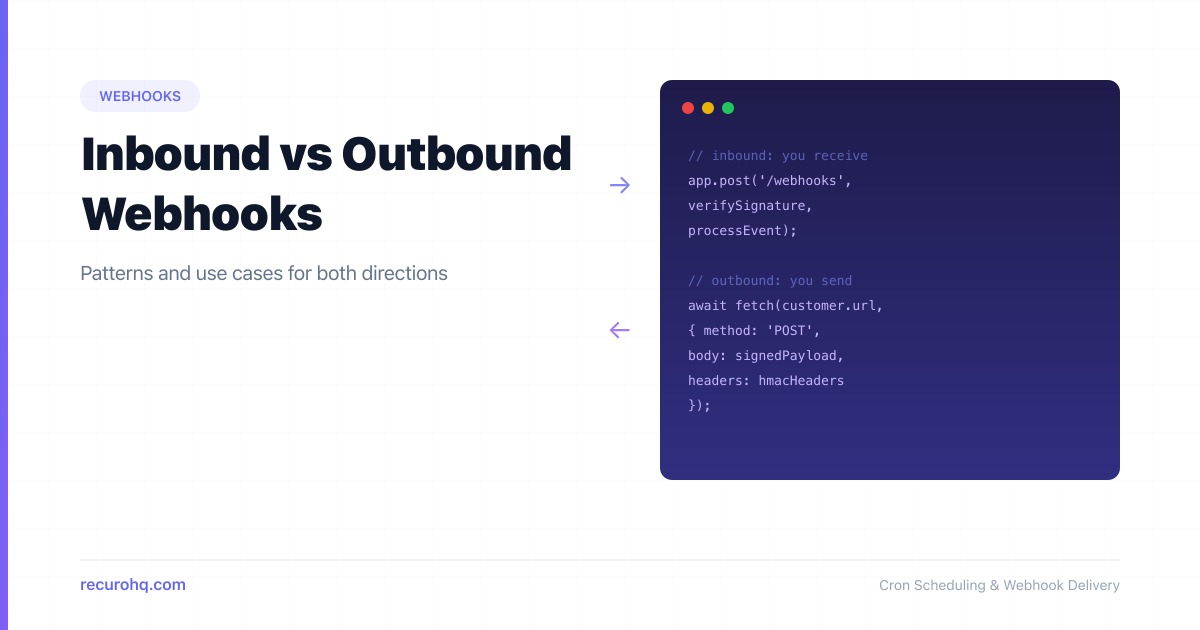
Webhooks are HTTP callbacks — one system sends an HTTP POST to another when something happens. That much is straightforward. What trips people up is the direction. Are you the one receiving the POST, or sending it? The answer changes everything about how you build, secure, and operate the integration.
This guide breaks down inbound and outbound webhooks, compares their patterns side by side, and shows you how to implement each one correctly. If you are new to webhooks in general, start with how webhooks work first.
What are inbound webhooks?
An inbound webhook is one where a third-party service sends HTTP POST requests to an endpoint you control. You are the receiver. The external service is the sender.
You expose a URL. You register that URL with the provider. When a webhook event occurs on the provider’s side, they POST the event payload to your URL.
Common examples:
- Stripe sends
payment_intent.succeededto your/webhooks/stripeendpoint - GitHub sends
pushevents to your/webhooks/githubendpoint when someone pushes to a repo - Twilio sends incoming SMS data to your
/webhooks/smsendpoint - Shopify sends
orders/createto your/webhooks/shopifyendpoint
In every case, you did not initiate the request. You are reacting to something that happened in another system.
What are outbound webhooks?
An outbound webhook is one where your system sends HTTP POST requests to URLs that your customers or partners provide. You are the sender. The external system is the receiver.
Your users configure a destination URL in your product. When an event happens in your system, you POST the event data to their URL.
Common examples:
- A CI/CD platform sends build completion events to a customer’s Slack webhook URL
- A payment processor sends transaction events to a merchant’s server
- A monitoring tool sends alert events to a customer’s incident management endpoint
- An e-commerce platform sends order events to a fulfillment partner’s API
Here, you own the event source. Your responsibility is delivering that event reliably.
Side-by-side comparison
| Aspect | Inbound webhook | Outbound webhook |
|---|---|---|
| Direction | Third-party to you | You to third-party |
| Who builds the endpoint? | You do | Your customer does |
| Who registers the URL? | You register your URL with the provider | Your customer registers their URL with you |
| Who controls retries? | The provider retries on failure | You retry on failure |
| Security focus | Verify the sender’s signature | Sign your payloads so receivers can verify you |
| Failure handling | Return 2xx quickly, process async | Implement retry queues and dead letter queues |
| Scale concern | Handling bursts of incoming events | Delivering to thousands of customer endpoints |
| Examples | Stripe, GitHub, Twilio events | Slack integrations, partner notifications |
Inbound webhook patterns
When you are on the receiving end, your job is to accept events reliably and process them safely.
Verify the signature
Every legitimate webhook provider signs their payloads. Always verify the signature before processing. If you skip this, anyone who discovers your endpoint URL can send fake events.
import crypto from 'crypto';
function verifyStripeSignature(payload, header, secret) {  const parts = header.split(',');  const timestamp = parts.find(p => p.startsWith('t=')).slice(2);  const signature = parts.find(p => p.startsWith('v1=')).slice(3);
  const signedPayload = `${timestamp}.${payload}`;  const expected = crypto    .createHmac('sha256', secret)    .update(signedPayload)    .digest('hex');
  return crypto.timingSafeEqual(    Buffer.from(signature),    Buffer.from(expected)  );}
For a deeper dive, see how to secure webhook endpoints.
Respond fast, process later
Return a 200 OK immediately. Do not perform slow operations (database writes, API calls, email sends) inside the webhook handler. Providers have strict webhook timeouts — typically 5 to 30 seconds. If you exceed them, the provider marks the delivery as failed and retries, creating duplicates.
app.post('/webhooks/stripe', async (req, res) => {  if (!verifyStripeSignature(req.body, req.headers['stripe-signature'], SECRET)) {    return res.status(401).send('Invalid signature');  }
  // Enqueue for async processing — don't block the response  await queue.push('process-stripe-event', {    payload: JSON.parse(req.body),    receivedAt: Date.now(),  });
  res.status(200).json({ received: true });});
Handle duplicates with idempotency
Providers use at-least-once delivery. You will receive the same event more than once during retries or outages. Use the event ID as an idempotency key:
async function processStripeEvent(event) {  const exists = await db.webhookEvents.findOne({ eventId: event.id });  if (exists) return; // Already processed
  await db.webhookEvents.insertOne({ eventId: event.id, processedAt: new Date() });  // Now do the actual work}
Expect retries, not ordering
Most providers retry failed deliveries with exponential backoff. Events may arrive out of order. Design your handlers to be order-independent, or use timestamps from the event payload to detect stale data. See webhook retry best practices for patterns.
Outbound webhook patterns
When you are the sender, you own the delivery pipeline. This is significantly harder than receiving webhooks because you are responsible for reliability at scale.
Sign your payloads
Give each customer a signing secret. Compute an HMAC of every payload and include it in a header so receivers can verify authenticity:
import crypto from 'crypto';
function signPayload(payload, secret) {  const timestamp = Math.floor(Date.now() / 1000);  const body = JSON.stringify(payload);  const signedContent = `${timestamp}.${body}`;
  const signature = crypto    .createHmac('sha256', secret)    .update(signedContent)    .digest('hex');
  return {    'X-Webhook-Timestamp': timestamp.toString(),    'X-Webhook-Signature': `v1=${signature}`,  };}
Retry with exponential backoff
Customer endpoints go down. Networks fail. A single failed delivery is not the end — but you need a retry strategy that does not overwhelm the receiver or your own infrastructure:
const RETRY_DELAYS = [10, 60, 300, 1800, 7200, 21600]; // seconds
async function deliverWebhook(endpoint, payload, secret, attempt = 0) {  const headers = {    'Content-Type': 'application/json',    ...signPayload(payload, secret),  };
  try {    const response = await fetch(endpoint.url, {      method: 'POST',      headers,      body: JSON.stringify(payload),      signal: AbortSignal.timeout(30_000),    });
    if (response.ok) return { success: true };
    if (response.status >= 500 && attempt < RETRY_DELAYS.length) {      await scheduleRetry(endpoint, payload, RETRY_DELAYS[attempt]);      return { success: false, retrying: true };    }
    return { success: false, status: response.status };  } catch (err) {    if (attempt < RETRY_DELAYS.length) {      await scheduleRetry(endpoint, payload, RETRY_DELAYS[attempt]);    }    return { success: false, error: err.message };  }}
For a thorough breakdown, see retry failed HTTP requests with exponential backoff.
Use dead letter queues
After exhausting retries, do not silently drop the event. Push it to a dead letter queue where you or the customer can inspect and replay it. This is the safety net that separates a production-grade webhook system from a toy one.
async function handleExhaustedRetries(endpoint, payload) {  await db.deadLetterQueue.insertOne({    endpointId: endpoint.id,    payload,    failedAt: new Date(),    reason: 'Max retries exceeded',  });
  await notifyEndpointOwner(endpoint, 'Webhook delivery failed after all retries');}
Let customers configure endpoints
A solid outbound webhook system lets users register multiple URLs, filter by event type, view delivery logs, and manually retry failed deliveries. The configuration surface matters as much as the delivery engine.
Security considerations
Security looks different depending on the direction.
For inbound webhooks (you are the receiver):
- Verify the provider’s signature on every request — no exceptions
- Use HTTPS endpoints only
- Reject requests with expired timestamps (replay protection)
- Allowlist the provider’s IP ranges if they publish them
- Do not trust the payload until the signature is verified — treat it like untrusted user input
For outbound webhooks (you are the sender):
- Generate a unique signing secret per customer endpoint
- Include a timestamp in the signed content to enable replay protection
- Set reasonable timeouts (5-30 seconds) and do not retry indefinitely
- Validate customer URLs before saving (no private IPs, no localhost in production)
- Log delivery attempts for debugging without storing sensitive payload data long-term
- Support secret rotation so customers can update their signing secret without downtime
Both directions benefit from testing. Use a webhook tester to verify your implementation before going live, and see how to test webhooks locally for development workflows.
When you need both
Most platforms eventually sit in the middle. You receive inbound webhooks from upstream providers and send outbound webhooks to downstream consumers.
Consider a payment orchestration platform. It receives payment.completed events from Stripe (inbound), processes the data, and then sends order.paid events to the merchant’s fulfillment system (outbound). The inbound and outbound pipelines are separate, but the event data flows through both.
Stripe ──POST──> Your Platform ──POST──> Merchant's Server (inbound) (outbound)The architecture for this looks like a pipeline:
- Receive the inbound event, verify signature, return 200
- Enqueue the event for processing
- Process the event (business logic, data transformation)
- Fan out to outbound webhook delivery for all subscribed endpoints
- Retry any failed outbound deliveries independently
Each stage is independent and horizontally scalable. The inbound handler should never block on outbound delivery.
When comparing this event-driven approach to alternatives, the tradeoffs become clear. Webhooks vs polling explains why callbacks beat repeated requests for real-time data. Webhooks vs APIs covers when you still need request-response alongside event-driven patterns.
Key takeaways
The webhook label covers two fundamentally different responsibilities. Inbound means you are a receiver — you need signature verification, idempotent processing, and fast response times. Outbound means you are a sender — you need payload signing, retry logic, dead letter queues, and customer-facing configuration.
Understanding which side you are on for each integration determines everything about how you build it. Most mature platforms end up doing both, and the best approach is to treat each direction as a distinct subsystem with its own failure modes and operational concerns.
Frequently asked questions
What is the difference between an inbound and outbound webhook?
An inbound webhook is when a third-party service sends an HTTP POST to your endpoint — you are the receiver. An outbound webhook is when your system sends an HTTP POST to someone else's endpoint — you are the sender. The direction determines your security and reliability responsibilities.
Which is harder to build, inbound or outbound webhooks?
Outbound webhooks are significantly harder. You need to build retry logic with exponential backoff, dead letter queues, payload signing, endpoint validation, delivery logging, and customer-facing configuration. Inbound webhooks mainly require signature verification and idempotent processing.
Do I need to verify signatures on inbound webhooks?
Yes, always. Without signature verification, anyone who discovers your webhook URL can send fake events. Every major provider (Stripe, GitHub, Twilio) includes a signature header. Verify it using the provider's signing secret before processing any event data.
How should outbound webhooks handle failed deliveries?
Retry with exponential backoff — start at 10 seconds and increase to hours between attempts. After exhausting retries (typically 5-8 attempts over 24 hours), move the event to a dead letter queue where it can be inspected and replayed. Never silently drop events.
Can a system be both an inbound and outbound webhook handler?
Yes, and most platforms eventually are. A payment orchestrator receives events from Stripe (inbound) and sends events to merchants (outbound). The key is treating each direction as a separate subsystem with its own processing pipeline, retry logic, and failure handling.
Why should outbound webhooks include a timestamp in the signature?
Including a timestamp prevents replay attacks. The receiver can reject any webhook where the timestamp is too far from the current time (e.g., older than 5 minutes). Without a timestamp, an attacker who intercepts a valid webhook could replay it indefinitely.