7 Ways to Test Webhooks on Localhost (2026 Guide)
webhookstestingtools
Quick Summary — TL;DR
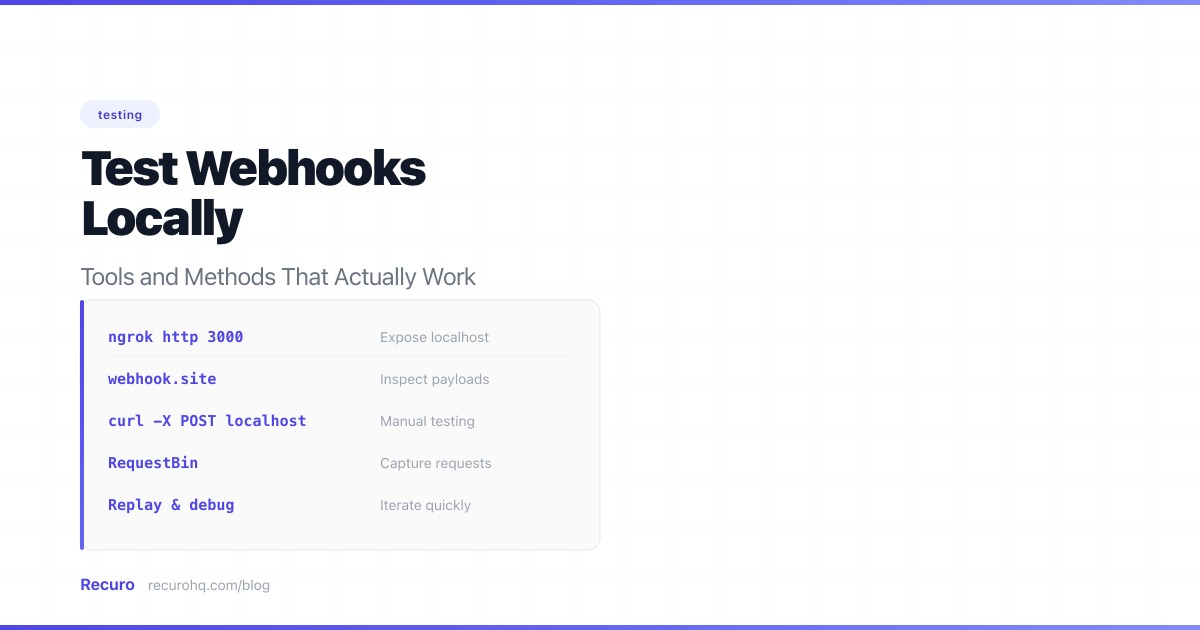
You’ve built a webhook handler. It works in your head. But how do you test it when the webhook provider can’t reach localhost:3000? (If you’re still deciding whether you need webhooks or a traditional API for your integration, start with webhooks vs APIs.)
Quick start: Install ngrok, run
ngrok http 3000, and copy the public URL it gives you. You’ll have a working tunnel in under a minute. Read on for free alternatives, zero-install options, and provider-specific tools.
The problem is simple: your development machine sits behind a router and firewall. External services like Stripe, GitHub, or Shopify need a publicly reachable URL to deliver webhook events. Your local server doesn’t have one.
Here are the most effective ways to solve this — from quick one-liners to production-grade testing setups.
When you register a webhook URL with a provider, they store it and send HTTP POST requests to it whenever a webhook event occurs. Your local machine has a private IP address (like 192.168.x.x or 10.x.x.x) that’s invisible to the internet. Even if you give a provider http://localhost:3000/webhooks, they can’t route to it.
You need one of two things:
Both approaches have trade-offs. Let’s walk through each.
ngrok creates a secure tunnel from a public URL to your local machine. It’s the most widely used tool for webhook testing and the one most provider docs recommend.
# Install (macOS)brew install ngrok
# Or download from https://ngrok.com/download# Sign up for a free account and add your auth tokenngrok config add-authtoken YOUR_TOKEN
# Start a tunnel to your local serverngrok http 3000
ngrok outputs a public URL like https://a1b2c3d4.ngrok-free.app. Use that as your webhook URL in the provider’s dashboard.
http://127.0.0.1:4040 shows every request with headers, body, and responseHere’s a common workflow with Stripe:
# Terminal 1: Start your local servernpm run dev  # or php artisan serve, python manage.py runserver, etc.
# Terminal 2: Start ngrokngrok http 3000
# Copy the ngrok URL and add /webhooks/stripe# Register it in Stripe Dashboard → Developers → Webhooks# URL: https://a1b2c3d4.ngrok-free.app/webhooks/stripe
Now trigger an event in Stripe’s test mode (e.g., create a test payment), and watch it arrive at your local server.
If you use VS Code, you already have a tunnel built in. Since 2023, VS Code includes port forwarding powered by dev tunnels — no extension or CLI to install.
npm run dev on port 3000)3000https://abc123-3000.uks1.devtunnels.msngrok http 3000 if you’ve already installed ngrokIf ngrok’s free tier is too restrictive, Cloudflare Tunnel (formerly Argo Tunnel) is a solid alternative. It’s completely free for development use with no connection limits.
# Installbrew install cloudflared
# Quick tunnel (no account needed)cloudflared tunnel --url http://localhost:3000
This gives you a URL like https://random-words.trycloudflare.com.
For a stable URL, create a named tunnel with a Cloudflare account:
cloudflared tunnel logincloudflared tunnel create my-dev-tunnelcloudflared tunnel route dns my-dev-tunnel webhooks-dev.yourdomain.comcloudflared tunnel run my-dev-tunnelNow webhooks-dev.yourdomain.com always points to your local machine when the tunnel is running.
localtunnel is an open-source alternative that requires no account:
npx localtunnel --port 3000You get a URL like https://wild-puma-42.loca.lt. It’s the fastest way to get a tunnel running — one command, no signup.
Bypassing the interstitial: Visit your tunnel URL in a browser once and note the tunnel password shown on the page (it’s your external IP). Then pass it as a header in your webhook requests. If you’re configuring a webhook provider, you can’t control their headers, so visit the URL in your browser first to set the cookie, or use the --print-requests flag to confirm requests are getting through. Alternatively, add the Bypass-Tunnel-Reminder header with any value in your own test scripts:
curl -H "Bypass-Tunnel-Reminder: true" https://wild-puma-42.loca.lt/webhooksIf you don’t trust third-party tunnels, localtunnel lets you run your own server:
# On your VPSnpx localtunnel --server https://your-tunnel-server.com --port 3000Many webhook providers offer CLI tools that forward events to your local server without requiring a public URL. This is often the best approach for provider-specific testing.
The Stripe CLI is the gold standard for webhook testing. It intercepts events from Stripe and forwards them directly to your local endpoint:
# Installbrew install stripe/stripe-cli/stripe
# Loginstripe login
# Forward events to your local serverstripe listen --forward-to localhost:3000/webhooks/stripe
The CLI outputs a webhook signing secret (whsec_...). Use this in your local environment instead of the secret from the Stripe dashboard.
Trigger test events without touching the dashboard:
# Trigger a specific eventstripe trigger payment_intent.succeeded
# Trigger a checkout session completionstripe trigger checkout.session.completed
This is the fastest way to test Stripe webhooks — no tunnel, no public URL, no manual event creation.
GitHub doesn’t have a dedicated webhook CLI, but you can use the gh CLI with the API to redeliver events:
# List recent webhook deliveriesgh api repos/OWNER/REPO/hooks/HOOK_ID/deliveries
# Redeliver a specific deliverygh api repos/OWNER/REPO/hooks/HOOK_ID/deliveries/DELIVERY_ID/attempts -X POST
Alternatively, use smee.io — GitHub’s recommended proxy for webhook development:
# Install the smee clientnpm install -g smee-client
# Create a channel at https://smee.io, then:smee --url https://smee.io/YOUR_CHANNEL --target http://localhost:3000/webhooks/githubshopify app devThe Shopify CLI automatically creates a tunnel and registers webhook URLs when running in development mode.
Sometimes you don’t need to test your handler — you just need to see what the provider sends. Capture services let you inspect webhook payloads without writing any code.
Go to webhook.site. You get a unique URL immediately. Register it with your webhook provider, trigger an event, and see the full request — headers, body, query parameters, method.
What it’s good for:
What it’s not good for:
RequestBin works similarly but integrates with Pipedream’s workflow engine. You can capture a webhook and then build a processing pipeline around it.
Beeceptor adds mock response capabilities — you can define what status code and body to return for captured webhooks. Useful for testing how providers handle non-200 responses.
The power move: use a capture service to record a real webhook payload, then replay it locally with curl:
# 1. Register webhook.site URL with your provider# 2. Trigger an event# 3. Copy the payload from webhook.site# 4. Replay it against your local server:
curl -X POST http://localhost:3000/webhooks/stripe \  -H "Content-Type: application/json" \  -H "Stripe-Signature: t=1234567890,v1=abc123..." \  -d '{    "id": "evt_test_123",    "type": "payment_intent.succeeded",    "data": {      "object": {        "id": "pi_test_456",        "amount": 2000,        "currency": "usd"      }    }  }'
This approach is great for building a library of test fixtures.
The methods above solve the core problem — getting external webhook events to reach your local machine. The techniques below address a different concern: verifying that your webhook handler code behaves correctly. You don’t need a tunnel for these; they’re about testing your code in isolation.
For automated testing and CI/CD, you don’t want to depend on tunnels or external services. Mock the webhook provider instead.
Create a script that sends the same payloads your provider sends:
Node.js:
import crypto from 'crypto';
const SECRET = 'whsec_test_secret';const ENDPOINT = 'http://localhost:3000/webhooks/stripe';
const events = [  {    id: 'evt_1',    type: 'payment_intent.succeeded',    data: { object: { id: 'pi_123', amount: 5000, currency: 'usd' } },  },  {    id: 'evt_2',    type: 'customer.subscription.deleted',    data: { object: { id: 'sub_456', customer: 'cus_789' } },  },];
for (const event of events) {  const body = JSON.stringify(event);  const timestamp = Math.floor(Date.now() / 1000);  const signature = crypto    .createHmac('sha256', SECRET)    .update(`${timestamp}.${body}`)    .digest('hex');
  const res = await fetch(ENDPOINT, {    method: 'POST',    headers: {      'Content-Type': 'application/json',      'Stripe-Signature': `t=${timestamp},v1=${signature}`,    },    body,  });
  console.log(`${event.type}: ${res.status}`);}
Python:
import hmac, hashlib, json, time, requests
SECRET = 'whsec_test_secret'ENDPOINT = 'http://localhost:3000/webhooks/stripe'
events = [    {"id": "evt_1", "type": "payment_intent.succeeded",     "data": {"object": {"id": "pi_123", "amount": 5000}}},    {"id": "evt_2", "type": "invoice.payment_failed",     "data": {"object": {"id": "in_456", "customer": "cus_789"}}},]
for event in events:    body = json.dumps(event)    timestamp = str(int(time.time()))    signature = hmac.new(        SECRET.encode(), f"{timestamp}.{body}".encode(), hashlib.sha256    ).hexdigest()
r = requests.post(ENDPOINT, json=event, headers={ "Stripe-Signature": f"t={timestamp},v1={signature}", }) print(f"{event['type']}: {r.status_code}")For more sophisticated mocking (sequence-dependent events, conditional responses, stateful scenarios), WireMock is purpose-built:
{ "request": { "method": "POST", "url": "/webhooks/orders" }, "response": { "status": 200, "jsonBody": { "received": true } }}WireMock can simulate delays, timeouts, and error responses — useful for testing how your handler behaves under degraded conditions.
Tunnels and capture services are great for development, but your test suite is the most reliable way to verify webhook handling. Write tests that exercise your handler with realistic payloads.
Node.js (Jest/Vitest):
import { describe, it, expect } from 'vitest';import crypto from 'crypto';import app from '../app';import request from 'supertest';
const SECRET = 'whsec_test_secret';
function signPayload(body, secret) {  const timestamp = Math.floor(Date.now() / 1000);  const signature = crypto    .createHmac('sha256', secret)    .update(`${timestamp}.${body}`)    .digest('hex');  return `t=${timestamp},v1=${signature}`;}
describe('POST /webhooks/stripe', () => {  it('processes a valid payment event', async () => {    const body = JSON.stringify({      id: 'evt_test_123',      type: 'payment_intent.succeeded',      data: { object: { id: 'pi_456', amount: 2000 } },    });
    const res = await request(app)      .post('/webhooks/stripe')      .set('Content-Type', 'application/json')      .set('Stripe-Signature', signPayload(body, SECRET))      .send(body);
    expect(res.status).toBe(200);  });
  it('rejects requests with invalid signatures', async () => {    const res = await request(app)      .post('/webhooks/stripe')      .set('Content-Type', 'application/json')      .set('Stripe-Signature', 't=123,v1=invalid')      .send('{"type":"payment_intent.succeeded"}');
    expect(res.status).toBe(401);  });
  it('handles duplicate events idempotently', async () => {    const body = JSON.stringify({      id: 'evt_duplicate_test',      type: 'payment_intent.succeeded',      data: { object: { id: 'pi_789', amount: 3000 } },    });    const sig = signPayload(body, SECRET);
    // Send the same event twice    await request(app)      .post('/webhooks/stripe')      .set('Content-Type', 'application/json')      .set('Stripe-Signature', sig)      .send(body);
    const res = await request(app)      .post('/webhooks/stripe')      .set('Content-Type', 'application/json')      .set('Stripe-Signature', sig)      .send(body);
    expect(res.status).toBe(200);    // Verify the payment was only processed once  });});
PHP (PHPUnit / Laravel):
class StripeWebhookTest extends TestCase{    public function test_valid_payment_event_is_processed(): void    {        $payload = json_encode([            'id' => 'evt_test_123',            'type' => 'payment_intent.succeeded',            'data' => ['object' => ['id' => 'pi_456', 'amount' => 2000]],        ]);
        $timestamp = time();        $signature = hash_hmac('sha256', "{$timestamp}.{$payload}", config('services.stripe.webhook_secret'));
        $this->postJson('/webhooks/stripe', json_decode($payload, true), [            'Stripe-Signature' => "t={$timestamp},v1={$signature}",        ])->assertOk();    }
    public function test_invalid_signature_returns_401(): void    {        $this->postJson('/webhooks/stripe', ['type' => 'test'], [            'Stripe-Signature' => 't=123,v1=invalid',        ])->assertUnauthorized();    }}
Python (pytest):
import hmac, hashlib, json, time
def sign_payload(body, secret):    timestamp = str(int(time.time()))    sig = hmac.new(        secret.encode(), f"{timestamp}.{body}".encode(), hashlib.sha256    ).hexdigest()    return f"t={timestamp},v1={sig}"
def test_valid_webhook(client):    body = json.dumps({"id": "evt_1", "type": "payment_intent.succeeded",                        "data": {"object": {"id": "pi_123"}}})    sig = sign_payload(body, "whsec_test")
    res = client.post("/webhooks/stripe",                       data=body,                       content_type="application/json",                       headers={"Stripe-Signature": sig})    assert res.status_code == 200
def test_invalid_signature(client): res = client.post("/webhooks/stripe", data='{"type":"test"}', content_type="application/json", headers={"Stripe-Signature": "t=0,v1=bad"}) assert res.status_code == 401| Test case | Why it matters |
|---|---|
| Valid signature → 200 | Core functionality works |
| Invalid signature → 401 | Rejects forged requests |
| Missing signature → 401 | Doesn’t skip verification |
| Old timestamp → 401 | Replay protection works |
| Duplicate event ID → 200 (no reprocessing) | Idempotency works |
| Unknown event type → 200 (ignored) | Doesn’t break on new events |
| Malformed JSON → 400 | Handles bad input gracefully |
| Large payload → 200 or 413 | Size limits enforced |
| Timeout simulation → 200 (queued) | Async processing works |
Here’s a side-by-side comparison of the tools and methods covered:
| Tool | Type | Free tier | Setup time | Best for |
|---|---|---|---|---|
| ngrok | Tunnel | 20 conn/min, random URL | 2 min | General-purpose local testing |
| VS Code port forwarding | Tunnel | Unlimited | 1 min | Already in VS Code, zero install |
| Cloudflare Tunnel | Tunnel | Unlimited | 3 min | Long sessions, corporate networks |
| localtunnel | Tunnel | Unlimited, OSS | 30 sec | Quick one-off testing |
| Stripe CLI | Provider CLI | Full access | 2 min | Stripe-specific development |
| smee.io | Proxy | Unlimited | 1 min | GitHub webhook development |
| Webhook.site | Capture | 500 req/day | 0 min | Inspecting payloads |
| RequestBin | Capture | Limited | 0 min | Capture + workflow automation |
| Beeceptor | Capture + Mock | 50 req/day | 0 min | Custom mock responses |
Exposing your local machine to the internet — even temporarily — introduces risk. Follow these rules:
For automated pipelines, tunnels don’t work. Use mock servers or direct HTTP calls instead:
# GitHub Actions examplename: Test Webhookson: [push]
jobs:  test:    runs-on: ubuntu-latest    steps:      - uses: actions/checkout@v4      - run: npm install      - run: npm run dev &      - run: sleep 3 # Wait for server to start      - name: Run webhook tests        run: npm test -- --grep "webhook"        env:          WEBHOOK_SECRET: whsec_test_secret_for_ci
The key insight: in CI, your tests should send webhook requests to your running server, not receive them from external providers. This makes tests deterministic and fast.
Cause: Your framework parsed the JSON body before you read the raw bytes. The re-serialized JSON has different formatting.
Fix: Capture the raw body before any middleware processes it:
// Express.js — capture raw bodyapp.use('/webhooks', express.raw({ type: 'application/json' }));// Laravel — get raw body$payload = request()->getContent(); // Not request()->all()Cause: Your tunnel URL changed (ngrok free tier), the tunnel isn’t running, or a firewall is blocking the connection.
Fix: Check that the tunnel is active and the URL matches what’s registered with the provider. Use the tunnel’s inspector to see if requests are arriving.
Cause: Webhooks are not guaranteed to arrive in order. A payment_intent.succeeded might arrive before payment_intent.created.
Fix: Design your handler to be order-independent. If you need ordering, fetch the current state from the provider’s API rather than relying on webhook sequence.
Cause: The provider retried because your handler took too long to respond, or you registered the same webhook URL multiple times.
Fix: Return 200 immediately and process asynchronously. Check for duplicate webhook registrations in the provider dashboard.
This catches bugs at each level before they compound.
You need to expose your local server to the internet using a tunneling tool. The most common options are ngrok (industry standard, free tier available), VS Code port forwarding (built-in, zero install), Cloudflare Tunnel (free, no rate limits), and localtunnel (open source, zero config). Start a tunnel to your local port and use the generated public URL as your webhook endpoint in the provider's dashboard.
For tunneling, Cloudflare Tunnel is the best free option — it has no rate limits or connection restrictions. For quick payload inspection without running a server, Webhook.site gives you a URL instantly with no signup. For Stripe specifically, the Stripe CLI is the best tool regardless of price — it forwards events directly to your local server without a tunnel.
Yes. Alternatives include VS Code port forwarding (built in, no install), Cloudflare Tunnel (free, no rate limits), localtunnel (open source), provider-specific CLIs (Stripe CLI, Shopify CLI), and capture services (Webhook.site, RequestBin). For automated testing in CI/CD, use mock payloads and direct HTTP calls rather than any tunneling tool.
Use your webhook provider's test/sandbox mode to send real signed events through a tunnel (ngrok or Cloudflare Tunnel). For unit tests, compute the HMAC-SHA256 signature yourself using the test signing secret and include it in the request header. The Stripe CLI automatically provides a test signing secret when forwarding events. You can also use an online HMAC signature verifier to generate test signatures.
Your local machine has a private IP address that external services cannot reach. You need a tunneling tool (ngrok, VS Code port forwarding, Cloudflare Tunnel, localtunnel) to create a public URL that forwards traffic to your local server. Common issues include: the tunnel URL changed after restart (ngrok free tier), the tunnel process isn't running, a firewall is blocking the connection, or the webhook URL registered with the provider doesn't match the current tunnel URL.
In CI/CD, don't use tunnels. Instead, start your application server in the pipeline, then run tests that send HTTP POST requests directly to it with mock webhook payloads. Include proper HMAC signatures computed with a test secret. This approach is deterministic, fast, and doesn't depend on external services. Tools like WireMock can simulate complex webhook scenarios including delays and error responses.
Recuro handles cron scheduling, retries, alerts, and execution logs — so you can focus on building your product.
No credit card required