AWS Lambda Cron Jobs: The Complete Setup Guide (2026)
awslambdacronserverless
Quick Summary — TL;DR
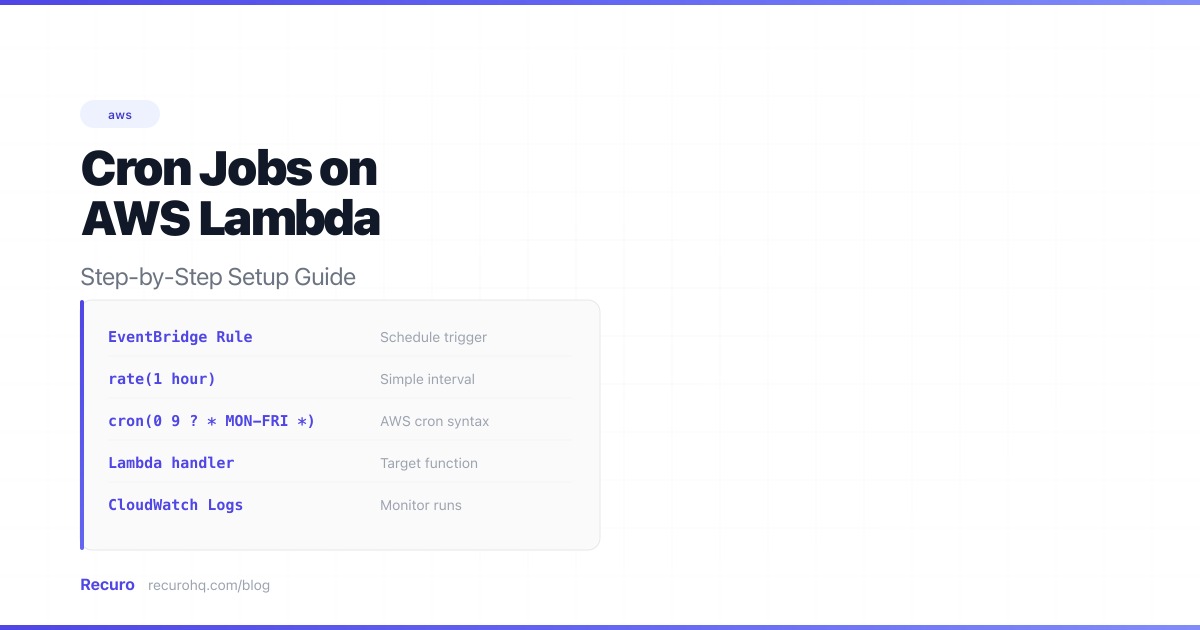
AWS Lambda is the natural home for scheduled tasks on AWS. No servers to manage, no idle compute costs, and it scales to zero when nothing’s running. But Lambda functions don’t run on their own — they need a trigger. For scheduled execution, that trigger is Amazon EventBridge.
This guide walks through every way to set up a cron job on Lambda, from clicking through the console to infrastructure-as-code, and covers the production hardening most tutorials skip.
The architecture is straightforward:
EventBridge replaced CloudWatch Events as the recommended scheduling service in 2022. The old CloudWatch Events rules still work, but EventBridge Scheduler gives you more flexibility: one-time schedules, time windows, and timezone support that CloudWatch never had.
Before setting anything up, know that AWS cron expressions are not the same as standard Unix cron expressions. AWS uses six fields instead of five, and has quirks that trip up even experienced developers:
┌───────────── minute (0–59)│ ┌───────────── hour (0–23)│ │ ┌───────────── day of month (1–31)│ │ │ ┌───────────── month (1–12 or JAN–DEC)│ │ │ │ ┌───────────── day of week (1–7 or SUN–SAT)│ │ │ │ │ ┌───────────── year (1970–2199)│ │ │ │ │ │* * * * * *| Feature | Unix cron | AWS cron |
|---|---|---|
| Fields | 5 | 6 (adds year) |
| Day of week | 0–7 (Sun = 0 or 7) | 1–7 (Sun = 1) or SUN–SAT |
| Wildcards | * everywhere | Must use ? for either day-of-month or day-of-week |
The ? wildcard | Not supported | Required — means “no specific value” |
The L wildcard | Not supported | Last day of month (L) or last weekday (3L = last Tuesday) |
The W wildcard | Not supported | Nearest weekday (15W = nearest weekday to 15th) |
The ? rule is the one that catches everyone. You cannot use * for both day-of-month and day-of-week. One of them must be ?. If you want “every day,” use * * * ? * (wildcard on day-of-month, question mark on day-of-week) or * * ? * *.
| Schedule | AWS cron expression |
|---|---|
| Every hour | cron(0 * * * ? *) |
| Every day at midnight UTC | cron(0 0 * * ? *) |
| Every Monday at 9 AM UTC | cron(0 9 ? * MON *) |
| Every 15 minutes | cron(0/15 * * * ? *) |
| First of every month at noon | cron(0 12 1 * ? *) |
| Weekdays at 6 PM UTC | cron(0 18 ? * MON-FRI *) |
| Last day of every month | cron(0 0 L * ? *) |
AWS also supports rate expressions for simpler intervals:
rate(1 hour)rate(15 minutes)rate(7 days)Rate expressions are simpler but less flexible — you can’t say “every weekday at 9 AM” with a rate. Use cron() for anything beyond a fixed interval.
Need help building a standard cron expression? Use the cron expression generator to create one visually, then adapt it to AWS syntax using the table above. For a deep dive into standard five-field syntax, see the cron syntax cheat sheet. If you’re migrating from a traditional crontab setup, note the syntax differences carefully.
The fastest way to get a scheduled Lambda running. Good for prototyping, not for production.
nightly-cleanup)Add your handler code. Here’s a minimal Python example:
import jsonimport urllib.request
def handler(event, context):    """Called by EventBridge on schedule."""    req = urllib.request.Request(        'https://api.example.com/cleanup',        method='POST',        headers={'Authorization': 'Bearer YOUR_TOKEN'},    )    with urllib.request.urlopen(req, timeout=30) as resp:        body = resp.read().decode()        print(f"Status: {resp.status}, Body: {body}")        return {            'statusCode': resp.status,            'body': body,        }
Or in Node.js:
export const handler = async (event) => { const resp = await fetch('https://api.example.com/cleanup', { method: 'POST', headers: { 'Authorization': 'Bearer YOUR_TOKEN' }, }); const body = await resp.text(); console.log(`Status: ${resp.status}, Body: ${body}`); return { statusCode: resp.status, body };};nightly-cleanup-schedule)cron(0 0 * * ? *)Your function will now be invoked on the schedule you defined.
Don’t wait for the schedule to fire. Test immediately:
{} as the payloadAWS SAM (Serverless Application Model) is the simplest IaC approach for Lambda. One YAML file defines everything:
AWSTemplateFormatVersion: '2010-09-09'Transform: AWS::Serverless-2016-10-31
Globals:  Function:    Timeout: 60    Runtime: python3.13    MemorySize: 128
Resources:  CleanupFunction:    Type: AWS::Serverless::Function    Properties:      Handler: cleanup.handler      CodeUri: src/      Description: Nightly database cleanup      Events:        NightlySchedule:          Type: ScheduleV2          Properties:            ScheduleExpression: "cron(0 0 * * ? *)"            ScheduleExpressionTimezone: "UTC"            RetryPolicy:              MaximumRetryAttempts: 2              MaximumEventAgeInSeconds: 3600      Policies:        - AWSLambdaBasicExecutionRole      DeadLetterQueue:        Type: SQS        TargetArn: !GetAtt CleanupDLQ.Arn
  CleanupDLQ:    Type: AWS::SQS::Queue    Properties:      QueueName: cleanup-dlq      MessageRetentionPeriod: 1209600  # 14 days
Outputs:  FunctionArn:    Value: !GetAtt CleanupFunction.Arn
Deploy it:
sam buildsam deploy --guided # First time — sets up the stacksam deploy # Subsequent deploysKey things to notice:
ScheduleV2 uses EventBridge Scheduler (not the old Schedule type which uses CloudWatch Events)RetryPolicy limits retries to 2 instead of the default 185DeadLetterQueue catches invocations that fail even after retries — without this, failed events vanish silentlyIf you prefer TypeScript for your infrastructure:
import * as cdk from 'aws-cdk-lib';import * as lambda from 'aws-cdk-lib/aws-lambda';import * as scheduler from 'aws-cdk-lib/aws-scheduler';import * as iam from 'aws-cdk-lib/aws-iam';import * as sqs from 'aws-cdk-lib/aws-sqs';import { Construct } from 'constructs';
export class CronStack extends cdk.Stack {  constructor(scope: Construct, id: string) {    super(scope, id);
    const fn = new lambda.Function(this, 'CleanupFunction', {      runtime: lambda.Runtime.NODEJS_22_X,      handler: 'cleanup.handler',      code: lambda.Code.fromAsset('lambda'),      timeout: cdk.Duration.seconds(60),      memorySize: 128,    });
    const dlq = new sqs.Queue(this, 'CleanupDLQ', {      retentionPeriod: cdk.Duration.days(14),    });
    // EventBridge Scheduler needs a role to invoke Lambda    const schedulerRole = new iam.Role(this, 'SchedulerRole', {      assumedBy: new iam.ServicePrincipal('scheduler.amazonaws.com'),    });    fn.grantInvoke(schedulerRole);    dlq.grantSendMessages(schedulerRole);
    new scheduler.CfnSchedule(this, 'NightlySchedule', {      scheduleExpression: 'cron(0 0 * * ? *)',      scheduleExpressionTimezone: 'UTC',      flexibleTimeWindow: { mode: 'OFF' },      target: {        arn: fn.functionArn,        roleArn: schedulerRole.roleArn,        retryPolicy: {          maximumRetryAttempts: 2,          maximumEventAgeInSeconds: 3600,        },        deadLetterConfig: {          arn: dlq.queueArn,        },      },    });  }}
Deploy:
cdk deployThe CDK is more verbose than SAM but gives you full control over IAM roles and resource configuration. For teams already using CDK, this fits naturally into your existing stacks.
resource "aws_lambda_function" "cleanup" {  filename         = "lambda.zip"  function_name    = "nightly-cleanup"  role             = aws_iam_role.lambda_exec.arn  handler          = "cleanup.handler"  runtime          = "python3.13"  timeout          = 60  source_code_hash = filebase64sha256("lambda.zip")}
resource "aws_iam_role" "lambda_exec" {  name = "cleanup-lambda-role"  assume_role_policy = jsonencode({    Version = "2012-10-17"    Statement = [{      Action = "sts:AssumeRole"      Effect = "Allow"      Principal = { Service = "lambda.amazonaws.com" }    }]  })}
resource "aws_iam_role_policy_attachment" "lambda_logs" {  role       = aws_iam_role.lambda_exec.name  policy_arn = "arn:aws:iam::aws:policy/service-role/AWSLambdaBasicExecutionRole"}
# EventBridge Schedulerresource "aws_scheduler_schedule" "nightly" {  name       = "nightly-cleanup"  group_name = "default"
  schedule_expression          = "cron(0 0 * * ? *)"  schedule_expression_timezone = "UTC"
  flexible_time_window {    mode = "OFF"  }
  target {    arn      = aws_lambda_function.cleanup.arn    role_arn = aws_iam_role.scheduler.arn
    retry_policy {      maximum_retry_attempts       = 2      maximum_event_age_in_seconds = 3600    }
    dead_letter_config {      arn = aws_sqs_queue.cleanup_dlq.arn    }  }}
resource "aws_iam_role" "scheduler" {  name = "cleanup-scheduler-role"  assume_role_policy = jsonencode({    Version = "2012-10-17"    Statement = [{      Action = "sts:AssumeRole"      Effect = "Allow"      Principal = { Service = "scheduler.amazonaws.com" }    }]  })}
resource "aws_iam_role_policy" "scheduler_invoke" {  role = aws_iam_role.scheduler.id  policy = jsonencode({    Version = "2012-10-17"    Statement = [{      Effect   = "Allow"      Action   = "lambda:InvokeFunction"      Resource = aws_lambda_function.cleanup.arn    }]  })}
resource "aws_sqs_queue" "cleanup_dlq" { name = "cleanup-dlq" message_retention_seconds = 1209600}terraform initterraform planterraform applyThe most concise option if your team is already using the Serverless Framework:
service: scheduled-tasks
provider:  name: aws  runtime: python3.13  region: us-east-1
functions:  cleanup:    handler: cleanup.handler    timeout: 60    memorySize: 128    events:      - schedule:          rate: cron(0 0 * * ? *)          enabled: true          input:            task: "nightly-cleanup"
syncData: handler: sync.handler timeout: 120 events: - schedule: rate: rate(15 minutes) enabled: trueserverless deployThe Serverless Framework creates the EventBridge rule and Lambda permission automatically. Two lines of YAML per schedule.
EventBridge Scheduler needs an execution role with permission to invoke your Lambda function. This is the most common source of “schedule created but function never fires” issues.
The minimum policy:
{ "Version": "2012-10-17", "Statement": [ { "Effect": "Allow", "Action": "lambda:InvokeFunction", "Resource": "arn:aws:lambda:us-east-1:123456789012:function:nightly-cleanup" } ]}The trust policy on the role must allow the scheduler service:
{ "Version": "2012-10-17", "Statement": [ { "Effect": "Allow", "Action": "sts:AssumeRole", "Principal": { "Service": "scheduler.amazonaws.com" } } ]}SAM and Serverless Framework handle this automatically. With CDK and Terraform, you configure it explicitly (as shown in the examples above). If you’re using the console, EventBridge Scheduler prompts you to create a role — accept the default unless you need cross-account invocation.
Getting a Lambda to fire on a schedule takes five minutes. Keeping it running reliably in production takes more thought.
Lambda considers an invocation “successful” if the function doesn’t throw. A function that calls an API, gets a 500 response, and returns normally is a “successful” Lambda invocation as far as EventBridge is concerned. It won’t retry, and it won’t alert.
Handle errors explicitly:
import jsonimport urllib.requestimport urllib.error
def handler(event, context):    try:        req = urllib.request.Request(            'https://api.example.com/cleanup',            method='POST',            headers={'Content-Type': 'application/json'},        )        with urllib.request.urlopen(req, timeout=30) as resp:            body = resp.read().decode()            status = resp.status
        if status >= 400:            raise Exception(f"API returned {status}: {body}")
        print(json.dumps({            'status': 'success',            'statusCode': status,            'body': body,        }))        return {'statusCode': status}
    except Exception as e:        print(json.dumps({            'status': 'error',            'error': str(e),        }))        # Re-raise so Lambda marks this as a failed invocation        # and EventBridge retries according to your retry policy        raise
The key: re-raise exceptions so Lambda reports the invocation as failed. EventBridge only retries failed invocations.
When a Lambda invocation fails even after retries, the event is discarded by default. You’ll never know it happened unless you’re watching CloudWatch Logs in real time.
Add a dead-letter queue (DLQ) to catch these failures. Every IaC example above includes a DLQ — it’s an SQS queue where EventBridge sends events that couldn’t be delivered. Check it periodically, or set up a CloudWatch alarm on the queue depth:
# CloudWatch alarm for DLQ messagesDLQAlarm: Type: AWS::CloudWatch::Alarm Properties: AlarmName: cleanup-dlq-messages MetricName: ApproximateNumberOfMessagesVisible Namespace: AWS/SQS Statistic: Sum Period: 300 EvaluationPeriods: 1 Threshold: 1 ComparisonOperator: GreaterThanOrEqualToThreshold Dimensions: - Name: QueueName Value: !GetAtt CleanupDLQ.QueueName AlarmActions: - !Ref AlertSNSTopicMonitor your function’s error rate directly:
LambdaErrorAlarm: Type: AWS::CloudWatch::Alarm Properties: AlarmName: cleanup-lambda-errors MetricName: Errors Namespace: AWS/Lambda Statistic: Sum Period: 300 EvaluationPeriods: 1 Threshold: 1 ComparisonOperator: GreaterThanOrEqualToThreshold Dimensions: - Name: FunctionName Value: !Ref CleanupFunction AlarmActions: - !Ref AlertSNSTopicThis catches failed invocations within five minutes. Without it, you’re relying on someone checking the CloudWatch dashboard — which nobody does at 3 AM.
Use structured JSON logs so you can query them in CloudWatch Logs Insights:
import jsonimport time
def handler(event, context):    start = time.time()    # ... do work ...    duration_ms = (time.time() - start) * 1000
    print(json.dumps({        'level': 'info',        'message': 'Cleanup completed',        'duration_ms': round(duration_ms, 2),        'records_cleaned': 142,        'schedule_event': event,    }))
Then query with:
fields @timestamp, message, duration_ms, records_cleaned| filter level = "error"| sort @timestamp desc| limit 20Lambda’s default timeout is 3 seconds. For a cron job that calls an external API, waits for a database query, or processes data, that’s almost certainly too short. Set it explicitly:
Always set the timeout lower than your schedule interval. A function with a 15-minute timeout running every 15 minutes can overlap with itself.
By default, Lambda can run multiple instances of your function concurrently. For cron jobs, this usually isn’t what you want — two cleanup jobs running at the same time can conflict.
Set reserved concurrency to 1:
CleanupFunction: Type: AWS::Serverless::Function Properties: ReservedConcurrentExecutions: 1 # ... rest of configThis ensures only one instance runs at a time. If EventBridge triggers the function while a previous invocation is still running, the new invocation is throttled and retried according to your retry policy.
Lambda cron jobs are cheap to run but expensive to operate. The compute cost for a function running once an hour is essentially zero — well within the free tier. The real costs are:
A single scheduled Lambda needs:
For one function, this is manageable. For twenty scheduled functions across three AWS accounts, you’re maintaining a parallel monitoring infrastructure.
Each schedule needs a role. Each role needs a trust policy and an execution policy. Each policy needs to be scoped to the right function ARN. Multiply by environments (dev, staging, production) and you’re managing dozens of IAM resources for what amounts to “call this URL every hour.”
EventBridge Scheduler is regional. If your Lambda is in us-east-1 and you want to manage schedules from eu-west-1, you need cross-region configuration. Cross-account invocation adds another layer of IAM trust policies.
Lambda functions that run infrequently (once per hour or less) will almost always cold start. For most cron jobs this doesn’t matter — an extra 500ms on a background task is fine. But if your function needs to complete within a tight window, factor in cold start time. Provisioned concurrency eliminates cold starts but adds ongoing cost.
Lambda + EventBridge is the right choice when you’re already deep in the AWS ecosystem and have the operational maturity to manage the monitoring stack. But there are scenarios where an external HTTP scheduler is simpler:
Multiple cloud providers or hybrid infrastructure. If your scheduled tasks hit APIs across AWS, GCP, and on-prem services, managing separate scheduling systems per provider is overhead. An external scheduler works with any HTTP endpoint.
Teams without dedicated DevOps. Setting up DLQs, CloudWatch alarms, IAM roles, and structured logging for each scheduled function requires AWS expertise. An external scheduler gives you retries, alerts, and logs out of the box.
Rapid iteration. Changing a schedule in EventBridge means redeploying infrastructure. With an external scheduler, you change the cron expression in a dashboard — no deploy needed.
Centralized visibility. When you have 50 scheduled tasks across multiple services, a single dashboard showing every schedule’s status, last execution, and failure history is worth more than scattered CloudWatch alarms.
Recuro handles all of this. Consider what you just read: 80+ lines of SAM YAML, an SQS dead-letter queue, two CloudWatch alarms, an IAM role with a trust policy — all to call one URL on a schedule. With an external scheduler, that entire stack becomes a single API call with retries, alerts, and execution logs built in.
If your Lambda function already has an HTTP endpoint (via function URL or API Gateway), you can replace EventBridge + all the monitoring infrastructure with a single Recuro schedule.
lambda:InvokeFunction permission on your function. This is the most common issue.ENABLED.? in either day-of-month or day-of-week. cron(0 0 * * * *) is invalid — use cron(0 0 * * ? *)./aws/lambda/function-name. Look for errors or unexpected output.EventBridge Scheduler defaults to 185 retries over 24 hours. For most cron jobs, this is too aggressive — if the first two retries fail, retry 183 probably won’t succeed either. Set MaximumRetryAttempts to 2 or 3 in your configuration.
Recuro handles cron scheduling, retries, alerts, and execution logs — so you can focus on building your product.
No credit card required