Cron Syntax Cheat Sheet: Every Field and Operator Explained
cronreferencescheduling
Quick Summary — TL;DR
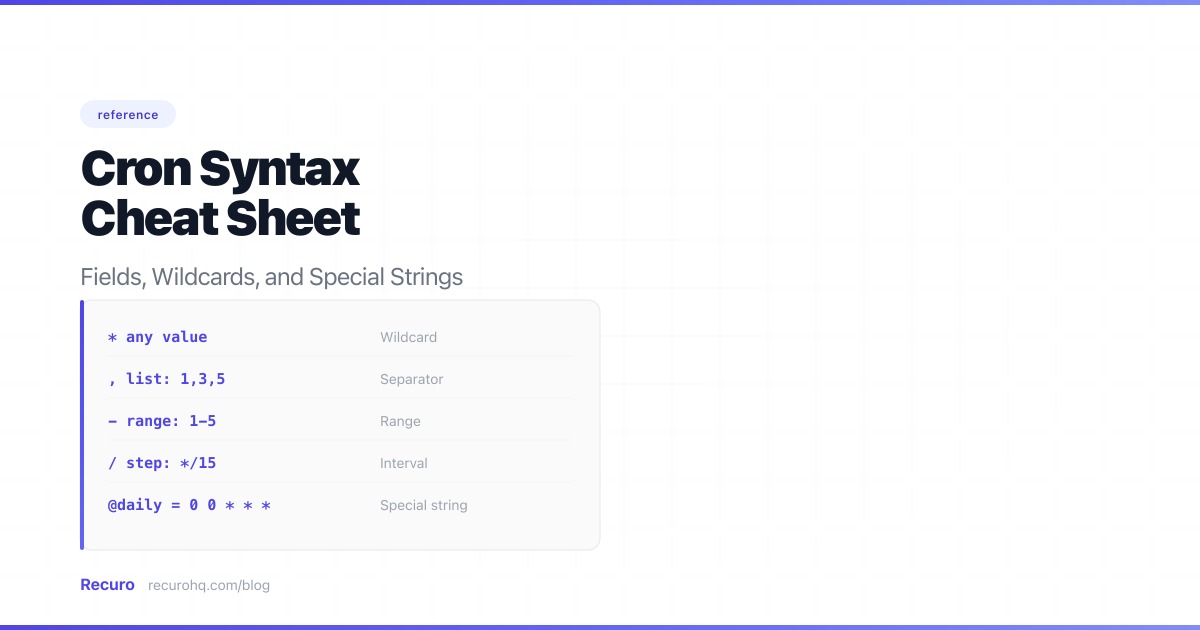
Bookmark this page. Every field, every operator, and the gotchas the man page buries in footnotes.
A standard cron expression has five space-separated fields. The cron daemon checks them against the current time every minute.
| Field | Range | Allowed characters |
|---|---|---|
| Minute | 0-59 | * , - / |
| Hour | 0-23 | * , - / |
| Day of month | 1-31 | * , - / |
| Month | 1-12 or JAN-DEC | * , - / |
| Day of week | 0-7 or SUN-SAT (0 and 7 = Sunday) | * , - / |
Month and day-of-week names (JAN, MON) are case-insensitive but cannot be used in ranges or steps on every platform. Stick to numbers for portability.
* (wildcard) — every value in the field.
* * * * * # every minute of every hour of every day, (list) — multiple discrete values. No spaces.
0,15,30,45 * * * * # minute 0, 15, 30, 45 of every hour0 9 * * 1,3,5 # Mon, Wed, Fri at 9 AM- (range) — inclusive range.
30 8 * * 1-5 # weekdays at 8:30 AM0 9-17 * * * # top of every hour, 9 AM through 5 PM/ (step) — divide the field into intervals. */5 = every value divisible by 5. Combine with ranges: 10-40/5 = 10, 15, 20, 25, 30, 35, 40.
*/5 * * * * # every 5 minutes0 */2 * * * # every 2 hours on the hour10-50/10 * * * * # every 10 minutes from :10 to :50*/5 does not mean “5 minutes after the last run.” Cron is clock-based, not interval-based. If your job starts at :05 and takes 7 minutes, the :10 trigger still fires at :10.
For a comprehensive list with use-case context, see 25 cron expression examples.
| Schedule | Expression |
|---|---|
| Every 5 minutes | */5 * * * * |
| Every hour (on the hour) | 0 * * * * |
| Daily at midnight | 0 0 * * * |
| Weekdays at 8 AM | 0 8 * * 1-5 |
| Every Monday at 9 AM | 0 9 * * 1 |
| 1st of every month at midnight | 0 0 1 * * |
Test any expression in the cron expression explainer or build one visually with the cron expression generator.
Supported by most cron implementations (Vixie cron, cronie, busybox) but not part of the POSIX standard.
| String | Equivalent | Meaning |
|---|---|---|
@yearly / @annually | 0 0 1 1 * | Midnight, January 1st |
@monthly | 0 0 1 * * | Midnight, 1st of month |
@weekly | 0 0 * * 0 | Midnight, Sunday |
@daily / @midnight | 0 0 * * * | Midnight |
@hourly | 0 * * * * | Top of every hour |
@reboot | (none) | Once at daemon startup |
@reboot runs when the cron daemon starts (typically system boot), not when you save the crontab. Do not rely on it for anything critical.
These aliases always use midnight / top-of-hour as the base. You cannot offset them — “daily at 6 AM” requires 0 6 * * *.
When both day-of-month and day-of-week are restricted (neither is *), the job runs when either condition is true — they are OR’d, not AND’d.
# Intended: "The 15th, but only if it's a Friday"# Actual: "Every 15th of the month AND every Friday"0 9 15 * 5There is no way to express “the 15th, only if it is a Friday” in standard cron. Your options:
# modifier handles this: 0 0 9 ? * 6#3 (third Friday of the month).If only one field is set and the other is *, cron behaves as expected. See cron job not running? troubleshooting guide for more edge cases.
Standard Unix cron uses five fields. Several platforms extend the syntax with extra fields and modifiers. Knowing which dialect your platform speaks matters — a valid Quartz expression will be rejected by system cron, and vice versa.
Adds a seconds field at the beginning (six fields total). Day-of-week uses 1-7 (Sunday=1) instead of 0-7.
| Field | Position | Range |
|---|---|---|
| Second | 1st | 0-59 |
| Minute | 2nd | 0-59 |
| Hour | 3rd | 0-23 |
| Day of month | 4th | 1-31 |
| Month | 5th | 1-12 |
| Day of week | 6th | 1-7 (SUN=1) |
Quartz-only modifiers:
| Modifier | Field | Meaning | Example |
|---|---|---|---|
? | Day-of-month or day-of-week | ”No specific value” — required when the other day field is set | 0 0 9 ? * 2 (every Monday at 9 AM) |
L | Day-of-month or day-of-week | Last day of month, or last X day of month | 0 0 9 L * ? (last day of month at 9 AM) |
W | Day-of-month | Nearest weekday to the given day | 0 0 9 15W * ? (nearest weekday to the 15th) |
# | Day-of-week | Nth occurrence of a weekday in the month | 0 0 9 ? * 6#3 (third Friday of every month) |
Key differences from standard cron:
? is required in one of the two day fields (standard cron just uses *).L in day-of-month = last day of month (28th/29th/30th/31st). 5L in day-of-week = last Thursday of the month. Standard cron has no equivalent.W for business-day scheduling: 15W fires on the nearest weekday to the 15th. If the 15th is Saturday, it fires Friday the 14th.# for Nth weekday: 6#3 = third Friday. This cleanly solves the “Nth weekday of the month” problem that standard cron cannot express.Combining modifiers:
# Last business day of every month at 6 PM0 0 18 LW * ?
# Second Monday of every month at 9 AM0 0 9 ? * 2#2@ScheduledSpring uses Quartz-style six-field expressions in @Scheduled(cron = "..."). It also supports Quartz modifiers (L, W, #, ?). The same day-of-week numbering applies (1-7, Sunday=1).
@Scheduled(cron = "0 0 9 ? * MON-FRI") // weekdays at 9 AM@Scheduled(cron = "0 0 18 LW * ?") // last business day at 6 PM@Scheduled(cron = "0 */5 * * * *") // every 5 minutes (note: 6 fields)Spring also supports zone configuration: @Scheduled(cron = "...", zone = "America/New_York"). Standard cron uses the system timezone — see how to handle timezones in cron jobs for the pitfalls.
Six fields with a year field at the end. Different syntax from both standard cron and Quartz.
| Field | Position | Range |
|---|---|---|
| Minute | 1st | 0-59 |
| Hour | 2nd | 0-23 |
| Day of month | 3rd | 1-31 |
| Month | 4th | 1-12 |
| Day of week | 5th | SUN-SAT |
| Year | 6th | 1970-2199 |
EventBridge also supports rate() expressions as an alternative: rate(5 minutes), rate(1 hour), rate(7 days). All times are UTC.
The ? character is required in either day-of-month or day-of-week (like Quartz). The L and W modifiers are supported in day-of-month. See the AWS Lambda cron guide for full details.
Uses standard five-field syntax — no seconds, no extra modifiers. Kubernetes does not support L, W, #, or ?.
apiVersion: batch/v1kind: CronJobmetadata: name: nightly-backupspec: schedule: "0 2 * * *" # standard 5-field cron timeZone: "America/New_York" # Kubernetes 1.27+The timeZone field (stable since Kubernetes 1.27) is one advantage over system cron, which relies on the node’s timezone. Kubernetes CronJobs also have concurrencyPolicy (Allow, Forbid, Replace) to handle overlapping runs — something system cron does not manage at all.
Supports standard five-field syntax plus App Engine cron syntax. Special strings (@daily, @hourly) are supported. No seconds field, no Quartz modifiers. Timezone is configurable per job.
| Feature | System cron | Quartz/Spring | AWS EventBridge | Kubernetes |
|---|---|---|---|---|
| Fields | 5 | 6 (+ seconds) | 6 (+ year) | 5 |
| Seconds precision | No | Yes | No | No |
L (last day) | No | Yes | Yes | No |
W (nearest weekday) | No | Yes | Yes | No |
# (Nth weekday) | No | Yes | No | No |
? required | No | Yes | Yes | No |
| Timezone config | System TZ | Per-annotation | UTC only | Per-job (1.27+) |
rate() expressions | No | No | Yes | No |
The crontab file supports environment variables, comments, and either user or system format. For a full guide on editing, listing, and managing crontab files, see Crontab explained.
Key difference: system crontabs (/etc/crontab, /etc/cron.d/) require a username field between the expression and the command. User crontabs (crontab -e) do not.
Forgetting to pin the minute field: * 9 * * * runs 60 times during the 9 AM hour. You almost certainly want 0 9 * * *.
Confusing */N with fixed intervals: */10 means “every minute divisible by 10,” not “every 10 minutes from last run.” Editing your crontab at 3:07 still triggers at 3:10, not 3:17.
Month and day-of-week numbering: Months are 1-12 (not 0-11). Standard cron day-of-week is 0-7 (Sunday=0 or 7). Quartz uses 1-7 (Sunday=1). Mixing these up shifts your schedule by one day with no error.
Assuming the 31st runs every month: 0 0 31 * * only fires in months with 31 days. For “last day of the month,” use Quartz’s L modifier or schedule for days 28-31 and check the date in your script.
Cron syntax is powerful but unforgiving. One misplaced field and your job runs 60 times an hour instead of once.
Recuro takes the cron expression and handles execution, retries, failure alerting, and a dashboard showing every job’s history. Paste any expression from this cheat sheet — standard five-field syntax with full operator support. See how it compares to managing your own scheduled tasks.
Minute (0-59), hour (0-23), day of month (1-31), month (1-12), and day of week (0-7, where 0 and 7 both mean Sunday). They are space-separated and checked against the system clock every minute.
It means 'every possible value' for that field -- a wildcard. Use it when you don't want to constrain a field.
They produce the same result. */5 is shorthand for 'every value divisible by 5.' The slash notation is more readable.
When both fields are set (neither is *), most cron implementations OR them together. So '0 9 15 * 5' means 'every 15th OR every Friday,' not 'the 15th only if it's a Friday.'
@daily = '0 0 * * *', @hourly = '0 * * * *', @weekly = '0 0 * * 0', @monthly = '0 0 1 * *', @yearly = '0 0 1 1 *'. Supported by most implementations but not part of the POSIX standard.
Standard cron has five fields (minute through day-of-week). Quartz has six (adds seconds), numbers days 1-7 (Sunday=1), requires '?' in one day field, and supports L (last), W (weekday), and # (Nth occurrence) modifiers.
Standard cron cannot do this. Use Quartz's L modifier ('0 0 0 L * ?') or schedule for days 28-31 and check the date in your script.
Recuro handles cron scheduling, retries, alerts, and execution logs — so you can focus on building your product.
No credit card required