Quick Summary — TL;DR
- Cron evaluates every expression against the system timezone. If your server is UTC and you schedule '0 9 * * *', it fires at 9:00 UTC — not your local time. Check with timedatectl or date +%Z.
- Use CRON_TZ at the top of your crontab to override the timezone for all entries below it. Not all cron implementations support it — cronie and systemd timers do, Vixie cron does not.
- DST transitions cause real bugs: a 2:30 AM job gets skipped during spring-forward and runs twice during fall-back. Schedule critical jobs in UTC or avoid the 1:00-3:00 AM window in local time.
- Cloud schedulers (AWS EventBridge, GCP Cloud Scheduler, Vercel Cron) each handle timezones differently. Always set an explicit timezone in the scheduler config rather than relying on defaults.
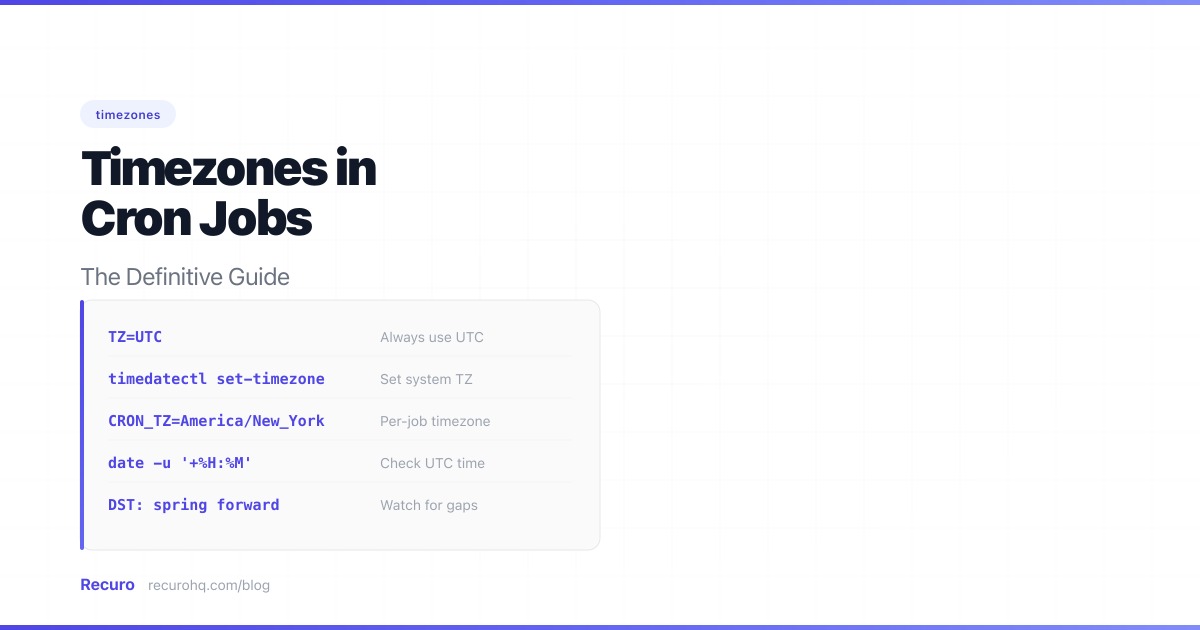
Every cron expression is evaluated against a clock. The question is: which clock? On a Linux server, it is the system clock. In a cloud scheduler, it depends on the provider’s defaults. This mismatch between the timezone you intended and the timezone cron actually uses is one of the most common causes of jobs firing at the wrong time — and one of the hardest to diagnose, because the cron expression itself looks correct.
This guide starts with how to diagnose a cron job that fired at the wrong time, then covers CRON_TZ, DST edge cases, UTC offset conversions, and a UTC-first strategy that eliminates the entire category of problems.
How system cron resolves timezones
The cron daemon reads the system’s local time and evaluates every crontab entry against it. There is no per-entry timezone in the original cron specification. If your system timezone is America/New_York, then 0 9 * * * runs at 9:00 AM Eastern. If you migrate that server to a cloud provider whose base image defaults to UTC, the same expression now fires at 9:00 AM UTC — five hours earlier than expected.
Check your system timezone:
# systemd-based systems (Ubuntu, Debian, CentOS 7+, RHEL)timedatectl
# Any systemdate +%Z# Output: UTC, EST, PST, etc.
# See the full IANA timezone namecat /etc/timezone# Output: America/New_York, Europe/London, etc.# (not available on all distros — check /etc/localtime symlink instead)
ls -l /etc/localtime# Output: /etc/localtime -> /usr/share/zoneinfo/America/New_York
Change the system timezone:
# Set to UTC (recommended for servers)sudo timedatectl set-timezone UTC
# Set to a specific timezonesudo timedatectl set-timezone America/Los_Angeles
After changing the system timezone, restart the cron daemon so it picks up the new setting:
sudo systemctl restart cron# or on CentOS/RHEL:sudo systemctl restart crondThe cron daemon reads the timezone at startup and caches it. Some implementations re-read it periodically, but restarting is the only reliable way to ensure the change takes effect.
Debugging timezone-related cron failures
When a cron job fires at the wrong time, the system timezone is almost always the cause. Work through this checklist before investigating anything else.
1. Confirm the system timezone.
timedatectl# Look for "Time zone:" line2. Confirm cron is using the expected timezone. Schedule a test job to write the current date to a file:
* * * * * date >> /tmp/cron-timezone-test.logWait for it to fire, then compare the timestamp in the log to your expected timezone. Remove the test entry when done.
3. Check for CRON_TZ in the crontab. A CRON_TZ line earlier in the file might be overriding the system timezone for your entry:
crontab -l | grep -i cron_tz4. Check for recent timezone or DST changes. If the job was correct yesterday but wrong today, a DST transition likely happened. Verify with:
date# Compare to the expected timezdump -v /usr/share/zoneinfo/America/New_York | grep 2026# Shows all DST transitions for that timezone in 20265. Restart the cron daemon. If the system timezone was changed while cron was running, the daemon might still be using the old timezone:
sudo systemctl restart cronFor a broader list of cron debugging steps beyond timezone issues, see cron job not running: a troubleshooting guide.
The CRON_TZ variable
Some cron implementations support a CRON_TZ environment variable that overrides the system timezone for crontab entries. This lets you schedule jobs in a specific timezone without changing the system clock.
# Run at 9:00 AM US Eastern, regardless of the system timezoneCRON_TZ=America/New_York0 9 * * * /usr/bin/curl -s https://api.example.com/daily-reportCRON_TZ applies to all entries below it in the crontab until another CRON_TZ line overrides it. You can use multiple timezone blocks in a single crontab:
# Jobs for the US teamCRON_TZ=America/New_York0 9 * * 1-5 /opt/scripts/us-morning-report.sh0 17 * * 1-5 /opt/scripts/us-eod-summary.sh
# Jobs for the EU teamCRON_TZ=Europe/Berlin0 9 * * 1-5 /opt/scripts/eu-morning-report.sh0 17 * * 1-5 /opt/scripts/eu-eod-summary.sh
# Infrastructure jobs in UTCCRON_TZ=UTC*/5 * * * * /opt/scripts/health-check.sh
Which cron implementations support CRON_TZ
Not all do. This matters:
- cronie (default on Fedora, CentOS, RHEL, Arch): Fully supported. This is the most common cron implementation on modern RHEL-family systems.
- systemd timers: Supported via the
OnCalendar=directive with aTimezone=option in the timer unit file. Not technically cron, but the common replacement. - Vixie cron (legacy default on older Debian/Ubuntu): Does not support CRON_TZ. Setting it has no effect. The variable is silently ignored.
- ISC cron / Debian cron (fork of Vixie cron, default on modern Debian/Ubuntu): Supported since Debian 8+ / Ubuntu 16.04+. Check your version with
dpkg -l cronorapt show cron. - busybox cron (Alpine, minimal containers): Does not support CRON_TZ.
- macOS cron: Does not support CRON_TZ.
If you are not sure which cron implementation you’re running, test it. Set CRON_TZ to a timezone several hours offset from your system clock and schedule a job one minute in the future. If it fires at the offset time, CRON_TZ works. If it fires at system time, it doesn’t.
For full details on editing crontab files, including environment variable syntax and user vs. system crontabs, see our crontab guide.
Daylight Saving Time: the real danger
UTC does not observe DST. Local timezones do. If you schedule cron jobs in a local timezone, you inherit every DST transition bug that timezone carries.
US DST rules
Clocks spring forward on the second Sunday of March (2:00 AM becomes 3:00 AM) and fall back on the first Sunday of November (2:00 AM becomes 1:00 AM). The danger window is 1:00 AM to 3:00 AM local time.
EU DST rules
Clocks spring forward on the last Sunday of March (2:00 AM becomes 3:00 AM in CET zones) and fall back on the last Sunday of October (3:00 AM becomes 2:00 AM in CEST zones). The EU transitions happen simultaneously across all member states — at 1:00 AM UTC. The danger window is 1:00 AM to 3:00 AM local time in Western/Central Europe, and 2:00 AM to 4:00 AM in Eastern Europe (EET/EEST).
Spring forward (clocks skip ahead)
When clocks jump forward, times in the skipped hour do not exist. A job scheduled at 30 2 * * * (2:30 AM) on the transition day:
- cronie: The job is skipped entirely. It does not run that day.
- Debian/ISC cron: The job runs once at 3:00 AM (the first valid time after the gap).
- systemd timers: Depends on configuration. With
Persistent=true, it runs as soon as the timer realizes the time was missed.
If this job generates a daily report, processes financial transactions, or triggers a billing cycle, skipping a day is a real business problem.
Fall back (clocks repeat an hour)
When clocks fall back, times in the repeated hour occur twice. A job scheduled at 30 1 * * * (1:30 AM) on the transition day:
- cronie: The job runs once (during the first occurrence of 1:30 AM).
- Debian/ISC cron: The job runs once (behavior varies by version — some run it during the first pass, others during the second).
- Some older implementations: The job runs twice. If it inserts database records, sends emails, or charges credit cards, you now have duplicates.
The fix: avoid the DST gap
If you must use a local timezone, keep jobs outside the danger window. In the US and most of Europe, avoid 1:00 AM to 3:00 AM local time. In Eastern European timezones (EET/EEST), avoid 2:00 AM to 4:00 AM. Schedule them at midnight, 4:00 AM (or 5:00 AM for EET), or any hour outside the transition window.
Better yet, use UTC. UTC has no DST transitions, no skipped hours, no repeated hours. A job at 30 2 * * * in UTC always runs at 2:30 AM UTC, every day, no exceptions.
UTC offset reference
When converting cron schedules between timezones and UTC, use this table. Remember that offsets change during DST — a schedule you converted during winter will be off by one hour in summer unless you account for both.
| Timezone | IANA name | Standard offset | DST offset |
|---|---|---|---|
| US Pacific | America/Los_Angeles | UTC-8 (PST) | UTC-7 (PDT) |
| US Eastern | America/New_York | UTC-5 (EST) | UTC-4 (EDT) |
| UTC | UTC | UTC+0 | No DST |
| Central European | Europe/Berlin | UTC+1 (CET) | UTC+2 (CEST) |
| India | Asia/Kolkata | UTC+5:30 (IST) | No DST |
| Japan | Asia/Tokyo | UTC+9 (JST) | No DST |
For example, to run a job at 9:00 AM US Eastern year-round, you would schedule it at 0 14 * * * (UTC) during EST and 0 13 * * * (UTC) during EDT. Using CRON_TZ=America/New_York avoids this manual conversion entirely.
The UTC-first strategy
For servers and infrastructure jobs, UTC is the correct default. Here is why:
- No DST surprises. The schedule means exactly what it says, 365 days a year.
- Log correlation. If your servers, databases, and logging systems all use UTC, timestamps line up without mental offset math.
- Team coordination. When your team spans multiple timezones, a UTC schedule is neutral — nobody’s local time is privileged.
- Portability. Moving a crontab between servers, cloud providers, or regions does not change when jobs fire.
Set your servers to UTC:
sudo timedatectl set-timezone UTCsudo systemctl restart cronThen express all schedules in UTC. If you need a job at 9:00 AM US Eastern (UTC-5 in winter, UTC-4 in summer), do the conversion and update the crontab twice a year — or use CRON_TZ if your system supports it.
The conversion approach is manual but deterministic. The CRON_TZ approach is automated but requires a cron implementation that supports it. Pick one.
For a refresher on expression syntax, field values, and operators, see the cron syntax cheat sheet.
Cloud scheduler timezone behavior
Cloud schedulers abstract away the system clock, but each handles timezones differently. Here is a quick summary of the key gotchas.
AWS EventBridge defaults to UTC. You can set a timezone per rule via the ScheduleExpressionTimezone parameter, and DST transitions are handled automatically. Note that AWS uses a non-standard six-field cron syntax with a year field and ? wildcard.
GCP Cloud Scheduler requires an IANA timezone for every job — there is no default. Use full names like America/New_York, not abbreviations like EST. DST is handled automatically.
Azure Functions Timer Triggers use a WEBSITE_TIME_ZONE app setting. The gotcha: Azure uses Windows timezone names (e.g., Eastern Standard Time) on Windows hosts but IANA names on Linux hosts. This inconsistency causes bugs when deploying across OS types.
Vercel Cron Jobs run in UTC with no timezone configuration. You must convert your schedule to UTC manually and accept a one-hour drift during DST transitions, or update the schedule twice a year.
Kubernetes CronJobs default to the kube-controller-manager timezone (typically UTC). Since Kubernetes 1.25, the timeZone field lets you set a timezone per CronJob. This is GA in Kubernetes 1.27+.
How Recuro handles timezones
Recuro lets you set your preferred timezone in your account settings. All cron schedules are then displayed and evaluated in that timezone. If you set your timezone to America/New_York and create a job with the expression 0 9 * * 1-5, it fires at 9:00 AM Eastern every weekday.
Internally, Recuro stores and evaluates all schedules in UTC. The timezone is applied during display and during schedule evaluation, so DST transitions are handled automatically. A 2:30 AM job during spring-forward fires at the correct wall-clock time on the other side of the transition — no skipped runs, no duplicates.
The execution history shows timestamps in your configured timezone, so you can verify at a glance that jobs fired when expected. If a job fires at the wrong time, check your timezone setting in the dashboard before debugging the expression itself.
Best practices summary
- Set servers to UTC. Do it once during provisioning and never think about it again.
- Use CRON_TZ sparingly. It is useful for user-facing schedules in specific timezones, but it adds a layer of indirection that can confuse new team members reading the crontab.
- Never schedule critical jobs between 1:00 AM and 3:00 AM local time. This is the DST danger zone. If you must, use UTC.
- Document the timezone in comments. Add a comment above each crontab section stating which timezone the expressions are written in.
- Use IANA timezone names, not abbreviations.
America/New_Yorkis unambiguous.ESTis not — it could mean US Eastern or Australian Eastern. - Test after DST transitions. Add a calendar reminder for the second Sunday of March and the first Sunday of November (US) or the last Sunday of March and October (EU). Verify that your jobs fired correctly.
- Use a cron expression generator to validate expressions before deploying them to production.
If you run HTTP-based scheduled tasks and want timezone handling that works without manual DST bookkeeping, Recuro evaluates every schedule in your configured timezone with automatic DST adjustment, full execution history, and failure alerts. Define your cron expression and endpoint — the timezone math is handled for you.
Frequently asked questions
Does cron use the system timezone or UTC?
Cron uses the system timezone by default. Whatever timezone is configured on the server (check with timedatectl or date +%Z), that is the clock cron evaluates expressions against. Most cloud server images default to UTC, but bare-metal servers and local machines often use a local timezone. If your job fires at the wrong hour, the system timezone is the first thing to check.
What is CRON_TZ and does my system support it?
CRON_TZ is an environment variable you set in a crontab to override the system timezone for the entries below it. It is supported by cronie (Fedora, CentOS, RHEL, Arch), the ISC/Debian fork of cron (Debian 8+, Ubuntu 16.04+), and systemd timers. It is not supported by Vixie cron, busybox cron, or macOS cron. If you set CRON_TZ and your job still fires at system time, your cron implementation does not support it.
What happens to a cron job during a DST transition?
During spring-forward, times in the skipped hour (typically 2:00-3:00 AM) do not exist. Most cron implementations either skip the job entirely or run it at the next valid time. During fall-back, times in the repeated hour (typically 1:00-2:00 AM) occur twice, and some implementations run the job twice. The safest approach is to schedule jobs in UTC, which has no DST transitions.
Should I use UTC or local time for cron jobs?
Use UTC for all infrastructure and backend jobs. It eliminates DST-related bugs, makes log timestamps consistent across systems, and ensures portability when moving between servers or cloud regions. Use local time (via CRON_TZ or a timezone-aware scheduler) only when the job must align with a specific wall-clock time for end users, such as sending a daily digest email at 9 AM in the recipient's timezone.
How do I change the timezone on a Linux server?
Run 'sudo timedatectl set-timezone UTC' (or any IANA timezone like America/New_York). Then restart the cron daemon with 'sudo systemctl restart cron' (or crond on CentOS/RHEL). The cron daemon caches the timezone at startup, so the restart is required for the change to take effect on scheduled jobs.
Do AWS, GCP, and Vercel cron jobs support timezones?
AWS EventBridge supports per-rule timezones via the ScheduleExpressionTimezone parameter (defaults to UTC). GCP Cloud Scheduler requires a timezone for every job — there is no default. Vercel cron jobs run in UTC with no timezone configuration; you must manually convert schedules. Kubernetes CronJobs support per-job timezones since version 1.25 via the timeZone field.
Related resources
- Cron expression explained — how the five-field schedule syntax works
- What is the cron daemon? — the background process that evaluates crontab entries
- Crontab explained: edit, list, and manage — hands-on guide to the crontab command
- Cron syntax cheat sheet — quick reference for fields, operators, and special strings
- Cron job not running? Troubleshooting guide — the 10 most common causes and fixes
- Cron expression generator — build and validate cron expressions visually