Webhooks vs Polling: Why You're Wasting 99% of Your API Calls
webhookspollingarchitectureapi
Quick Summary — TL;DR
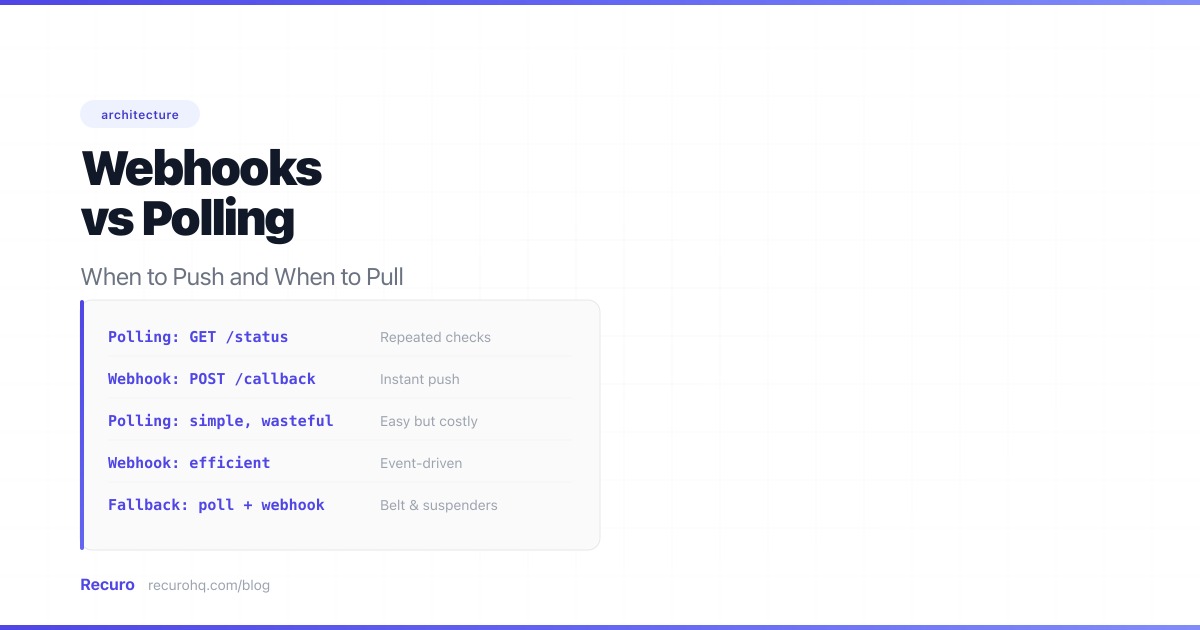
Two patterns dominate how systems exchange data over HTTP: push (webhooks) and pull (polling). One sends data when something happens. The other asks “did anything happen?” on a loop. Both have a place, but choosing the wrong one costs you latency, bandwidth, or reliability. For a broader comparison including traditional request-response APIs, see webhooks vs APIs.
Before diving in: polling is not always wrong. If the API you integrate with has no webhook support, if you need full state snapshots, or if you just need a periodic health check, polling is the right tool. This guide will help you recognize which pattern fits your situation, and how to combine them when one is not enough.
This guide breaks down both patterns with code, real numbers, and practical guidance for when to use each.
Polling is the pull model. Your application repeatedly sends HTTP requests to an API at fixed intervals, checking whether anything has changed since the last check.
// Poll an API every 30 seconds for new ordersasync function pollForOrders(lastCheckedAt) {  const interval = 30_000; // 30 seconds
  while (true) {    try {      const response = await fetch(        `https://api.example.com/orders?since=${lastCheckedAt}`      );      const orders = await response.json();
      if (orders.length > 0) {        for (const order of orders) {          await processOrder(order);        }        lastCheckedAt = new Date().toISOString();      }    } catch (error) {      console.error('Poll failed:', error.message);    }
    await new Promise(resolve => setTimeout(resolve, interval));  }}
The pattern is straightforward: request, check, wait, repeat. Every iteration makes an HTTP call regardless of whether new data exists.
A webhook is the push model. Instead of asking for updates, you register a URL with the data source. When an event occurs, the source sends an HTTP POST to your URL with the event data — an HTTP callback.
// Express.js handler receiving a webhook POSTimport express from 'express';import crypto from 'crypto';
const app = express();app.use('/webhooks', express.raw({ type: 'application/json' }));
app.post('/webhooks/orders', (req, res) => {  // Verify the signature before processing  const signature = req.headers['x-webhook-signature'];  const expected = crypto    .createHmac('sha256', process.env.WEBHOOK_SECRET)    .update(req.body)    .digest('hex');
  if (signature !== expected) {    return res.status(401).send('Invalid signature');  }
  const event = JSON.parse(req.body);
  // Acknowledge immediately, process asynchronously  res.status(200).send('OK');
  // Queue the work instead of processing inline  queue.add('process-order', { order: event.data });});
No looping, no wasted calls. Data arrives when it exists.
| Factor | Polling | Webhooks |
|---|---|---|
| Latency | Half the poll interval on average (15s for a 30s poll) | Near-instant (milliseconds after the event) |
| Resource usage | High — every request costs CPU, bandwidth, and API quota | Low — HTTP calls only happen when events occur |
| Implementation complexity | Low — a loop with a timer | Medium — need an endpoint, signature verification, retry handling |
| Reliability | High — you control the schedule; missed polls are just delayed | Medium — missed deliveries require retries or reconciliation |
| Real-time capability | Poor — bounded by poll interval | Excellent — events arrive as they happen |
| Debugging ease | Easy — you initiate every request and can inspect it | Harder — events arrive unpredictably; need logging and a webhook tester |
| Scalability | Poor — every new consumer adds N requests/hour to the source | Good — source sends one request per event per consumer |
Polling’s core inefficiency: most requests return nothing new. Here are real numbers.
Say you poll an API every 30 seconds to check for new orders. The store receives about 20 orders per day. Let’s do the math:
Even a busier system doesn’t escape this. An API with 200 events per day still wastes over 93% of its polling requests at a 30-second interval. At a 5-second interval, you make 17,280 requests per day — 98.8% of which return empty responses.
This matters at scale. If you have 1,000 customers each polling your API every 30 seconds, that is 2.88 million requests per day. The vast majority return {"data": []}. You are paying for compute, bandwidth, and rate limit headroom to answer “no” 2.8 million times.
Webhooks flip this entirely. With 200 events per day, you handle exactly 200 HTTP requests — each one carrying data you actually need.
Despite its inefficiency, polling wins in specific scenarios.
Many APIs simply do not offer webhooks. If the only way to get data out is a REST endpoint, polling is your only option. No point in wishing for webhooks that do not exist.
Polling puts you in charge of timing. You decide when and how often to ask. This is useful when:
Health checks and status monitoring are natural fits for polling. You want to know “is this service up right now?” at a regular interval — not “notify me the moment it goes down.” The regularity is the feature.
# Simple health check poll — runs every 60 seconds via croncurl -sf https://api.example.com/health || echo "Service down" | notifyIf the source generates 100 events per second and you only need a summary every minute, polling once per minute is more efficient than receiving and discarding 5,999 webhook deliveries. Polling lets you aggregate on your schedule.
Some polling patterns fetch the full current state, not just changes. If you need a complete snapshot (e.g., current inventory levels, account balance), a periodic GET is simpler than maintaining state from a stream of incremental webhook events.
Webhooks are the better default for most integration scenarios.
If your users expect immediate feedback — payment confirmations, chat messages, deployment notifications — polling’s latency is unacceptable. Even a 5-second poll interval means up to 5 seconds of delay. Webhooks deliver in milliseconds.
Consider a source system that publishes events to 50 different consumers. With polling, that is 50 clients each hitting the API every 30 seconds: 144,000 requests per day. With webhooks, the source sends one POST per event per consumer — if there are 500 events per day, that is 25,000 targeted requests, each carrying useful data.
If your system is built on event-driven architecture — where services react to events rather than polling for state changes — webhooks are the natural fit. They map directly to the “something happened, react to it” model.
Most APIs enforce rate limits. Every poll request counts against your quota. Webhooks use zero quota on the source API because the source initiates the request, not you.
The most reliable production systems do not choose one pattern exclusively. They use both.
Webhooks as the primary channel. Events arrive in real-time for the common case. This handles 99%+ of events with low latency.
Polling as a reconciliation fallback. A periodic job polls the API to find events that may have been missed — webhook timeouts, network blips, downtime on your end, or bugs in the sender’s delivery system.
# Reconciliation poller — runs every 15 minutesdef reconcile_orders():    """Catch any orders missed by webhooks."""    last_reconciled = get_last_reconciliation_timestamp()
    orders = api.get_orders(since=last_reconciled)    for order in orders:        if not already_processed(order['id']):            process_order(order)
    update_reconciliation_timestamp()
This pattern gives you the speed of webhooks with the reliability guarantee of polling. Stripe, Shopify, and most payment processors recommend this exact approach in their integration guides.
Both patterns have failure modes. Understanding them helps you build defenses.
| Failure | Impact | Mitigation |
|---|---|---|
| Rate limited (429) | Polls are rejected, data is delayed | Exponential backoff, respect Retry-After headers |
| API downtime | No data until recovery | Retry with backoff, alert on consecutive failures |
| Stale data | Polling returns cached/outdated responses | Check for Last-Modified or ETag headers |
| Clock drift | Missed window if using timestamp-based pagination | Use cursor-based pagination instead of timestamps |
| Quota exhaustion | Locked out of the API entirely | Reduce poll frequency, batch where possible |
| Failure | Impact | Mitigation |
|---|---|---|
| Missed delivery | Event is lost unless retried | Sender implements retry with backoff; receiver runs reconciliation polls |
| Out-of-order events | State corruption if events are processed sequentially | Design handlers to be order-independent; fetch current state from API |
| Duplicate events | Double-processing (double charges, double emails) | Idempotency — deduplicate by event ID |
| Replay attacks | Attacker re-sends old events | Validate timestamps; reject events older than 5 minutes |
| Sender downtime | No events until sender recovers | Reconciliation polling catches the gap |
If you choose webhooks (and you probably should for most use cases), these practices prevent the common failure modes.
Never trust a webhook without checking its signature. Every legitimate sender signs requests with a shared secret. Verify before processing — this stops forged events and replay attacks. See how to secure webhook endpoints for a full implementation guide.
Return 200 immediately and queue the actual work. Webhook senders enforce timeouts — typically 5 to 30 seconds. If your handler takes longer, the sender marks it as failed and retries, creating duplicate deliveries. Acknowledge fast, process later.
Webhook delivery is at-least-once, not exactly-once. You will receive duplicates. Store processed event IDs and check before acting. See webhook retry best practices for implementation details.
Before going live, verify your handler with a webhook tester or by testing webhooks locally. Confirm it accepts valid payloads, rejects bad signatures, and handles duplicates gracefully.
If you are currently polling and have decided webhooks are the better fit, do not rip out polling overnight. A phased migration avoids data loss.
Register your webhook endpoint with the source while keeping your existing polling loop running. Both channels now feed into the same processing pipeline. Use idempotency (deduplicate by event ID) so duplicate events from both channels are harmless.
Compare what arrives via webhooks against what polling finds. Log any events that polling catches but webhooks miss. This tells you how reliable the source’s webhook delivery actually is before you depend on it. Run this comparison for at least a few days — long enough to see edge cases like maintenance windows and rate limit spikes.
Once you trust webhook delivery, reduce your polling frequency from “primary data source” (every 30 seconds) to “reconciliation fallback” (every 10-15 minutes). The poller now only catches the rare missed webhook instead of doing all the heavy lifting.
If the source’s webhook delivery proves completely reliable over weeks, you can remove the reconciliation poller entirely. Most teams keep it — the cost of a lightweight poll every 15 minutes is negligible, and it provides insurance against future delivery issues.
Whether you need a polling loop that hits an API every 30 seconds or a reconciliation job that runs every 15 minutes, Recuro handles the scheduling infrastructure so you do not have to build and maintain cron jobs yourself:
Stop building and babysitting polling loops. Schedule your HTTP requests and let Recuro handle execution and retries.
Polling is a pull model where your application repeatedly requests data from an API at regular intervals, asking 'has anything changed?' each time. Webhooks are a push model where the data source sends an HTTP POST to your endpoint the moment an event occurs. Polling is simpler to implement but wastes resources on empty responses. Webhooks are more efficient and real-time but require you to host a publicly accessible endpoint.
Use polling when the API you need data from does not support webhooks, when you need to control the exact timing and rate of requests, when you need full state snapshots rather than incremental events, when events occur more frequently than you need to process them, or for simple health checks where regularity is the goal. Polling is also the right fallback when webhook delivery is unreliable.
Yes, significantly. A typical polling setup wastes 95-99% of its requests on empty responses because nothing has changed since the last check. Webhooks only send HTTP requests when an event actually occurs, so every request carries useful data. For a system with 200 events per day, polling every 30 seconds makes 2,880 requests; webhooks make exactly 200.
Three practices make webhooks production-grade: verify every request by checking its HMAC signature to reject forged or replayed events, process events asynchronously by returning 200 immediately and queuing the work so you do not hit the sender's timeout, and implement idempotency by storing processed event IDs so duplicate deliveries do not cause double-processing. A reconciliation polling job as a fallback catches any events missed due to network issues.
A hybrid approach uses webhooks as the primary channel for real-time event delivery and polling as a periodic reconciliation fallback. The reconciliation poller runs every 10-15 minutes, queries the API for recent events, and processes any that were missed by webhooks. This gives you the low latency of webhooks with the reliability guarantee of polling. Most payment processors recommend this approach for financial integrations.
Push (webhooks) means the server sends data to the client when an event occurs — the server initiates the HTTP request. Pull (polling) means the client requests data from the server on a schedule — the client initiates every request. Push is event-driven and real-time. Pull is schedule-driven and introduces latency equal to half the polling interval on average.
The waste depends on how often events occur relative to the polling interval. For a system with 20 events per day polled every 30 seconds, 99.3% of requests return empty responses — that is 2,860 wasted HTTP round-trips per day per consumer. At scale with 1,000 consumers, that becomes 2.86 million wasted requests daily. Webhooks eliminate this entirely by only sending requests when data exists.
Recuro handles cron scheduling, retries, alerts, and execution logs — so you can focus on building your product.
No credit card required