Cron Jobs Without a Server: 5 Serverless Options Compared
serverlesscron
Quick Summary — TL;DR
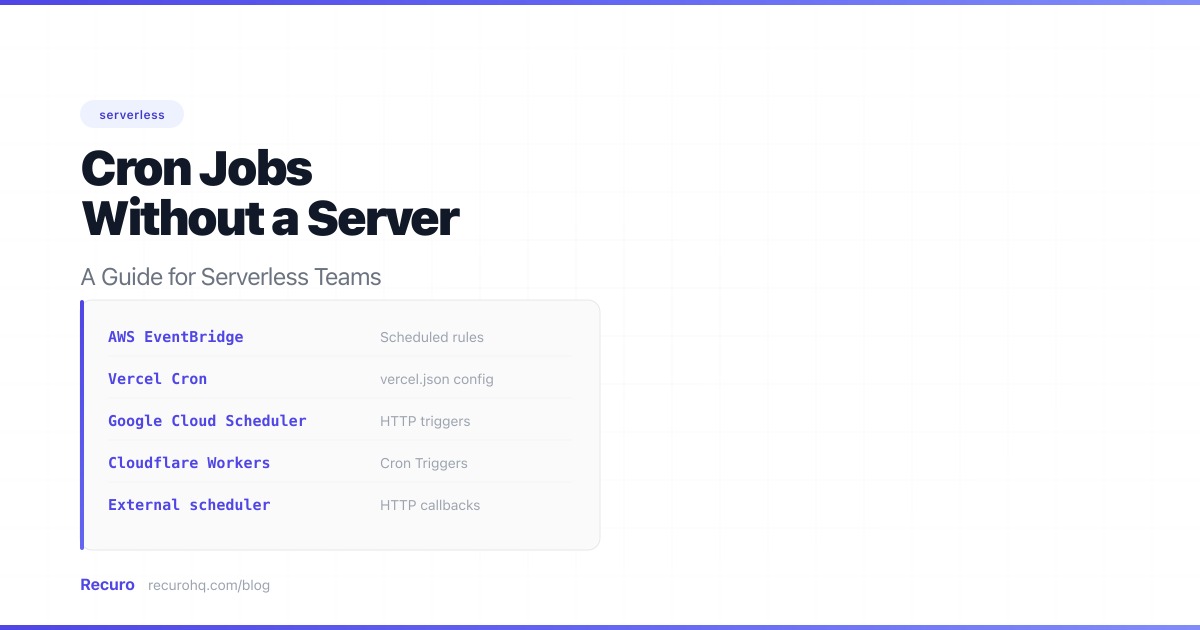
Serverless is great — until you need something to happen on a schedule. There’s no crontab on Lambda (see crontab explained for what you’d be replacing), no persistent process on Vercel, and no background worker on Cloudflare Workers. If your app needs to sync data from a third-party API every hour or generate invoices every night, you need a different approach.
This guide walks through the concrete options with real implementation examples, so you can pick the one that fits your stack and have it running today.
Let’s ground this in a real problem. You have a Next.js app deployed on Vercel. It pulls product data from a third-party API (say, a supplier’s inventory feed) and stores it in your database. You need that data refreshed every hour so your storefront stays current.
On a traditional server, you’d add a line to your crontab and move on. On Vercel, you can’t. Here’s how to solve it.
If your app is on Vercel, this is the fastest path. You define cron schedules in vercel.json, and Vercel hits your API routes on that schedule.
Create an API route that performs the actual work. This is the endpoint Vercel’s scheduler will call.
// app/api/sync-products/route.ts (Next.js App Router)import { NextResponse } from 'next/server';import { db } from '@/lib/db';
export const maxDuration = 60; // seconds — raise if your sync takes longer
export async function GET(request: Request) {  // Verify the request is from Vercel Cron (not a random visitor)  const authHeader = request.headers.get('authorization');  if (authHeader !== `Bearer ${process.env.CRON_SECRET}`) {    return NextResponse.json({ error: 'Unauthorized' }, { status: 401 });  }
  try {    // Fetch products from supplier API    const response = await fetch('https://supplier-api.example.com/v2/products', {      headers: { 'X-API-Key': process.env.SUPPLIER_API_KEY! },    });
    if (!response.ok) {      throw new Error(`Supplier API returned ${response.status}`);    }
    const products = await response.json();
    // Upsert products into your database    let updated = 0;    for (const product of products.data) {      await db.product.upsert({        where: { supplierId: product.id },        update: {          name: product.name,          price: product.price,          stock: product.stock_quantity,          updatedAt: new Date(),        },        create: {          supplierId: product.id,          name: product.name,          price: product.price,          stock: product.stock_quantity,        },      });      updated++;    }
return NextResponse.json({ synced: updated, timestamp: new Date().toISOString(), }); } catch (error) { console.error('Product sync failed:', error); return NextResponse.json( { error: 'Sync failed', detail: String(error) }, { status: 500 } ); }}Add the schedule to vercel.json in your project root:
{ "crons": [ { "path": "/api/sync-products", "schedule": "0 * * * *" } ]}In your Vercel dashboard, add a CRON_SECRET environment variable. Vercel sends this as an Authorization: Bearer <secret> header so your route can reject unauthorized calls.
Pros:
Cons:
For a single Next.js project with simple scheduling needs on a Pro plan, Vercel cron works well. Once you need retries, alerts, or schedules across multiple services, you’ll outgrow it.
If you’re on AWS, EventBridge Scheduler (the successor to CloudWatch Events) gives you full control over scheduled Lambda invocations. This is the right choice when you’re already invested in the AWS ecosystem and want infrastructure-as-code.
Here’s a complete example: a Lambda function that generates and emails daily invoice summaries, triggered by EventBridge at 6 AM UTC every day.
# template.yaml (AWS SAM)AWSTemplateFormatVersion: '2010-09-09'Transform: AWS::Serverless-2016-10-31Description: Daily invoice summary generator
Globals: Function: Runtime: nodejs20.x Timeout: 120 MemorySize: 256 Environment: Variables: DB_CONNECTION_STRING: !Sub '{{resolve:secretsmanager:prod/db:SecretString:connectionString}}'
Resources: InvoiceSummaryFunction: Type: AWS::Serverless::Function Properties: Handler: src/handlers/invoice-summary.handler Description: Generates and sends daily invoice summaries Policies: - SESCrudPolicy: IdentityName: yourapp.com Events: DailySchedule: Type: ScheduleV2 Properties: ScheduleExpression: "cron(0 6 * * ? *)" Description: "Run invoice summary daily at 6 AM UTC" RetryPolicy: MaximumRetryAttempts: 2 MaximumEventAgeInSeconds: 3600
InvoiceFailureAlarm: Type: AWS::CloudWatch::Alarm Properties: AlarmName: InvoiceSummaryFailures MetricName: Errors Namespace: AWS/Lambda Dimensions: - Name: FunctionName Value: !Ref InvoiceSummaryFunction Statistic: Sum Period: 86400 EvaluationPeriods: 1 Threshold: 1 ComparisonOperator: GreaterThanOrEqualToThreshold AlarmActions: - !Sub "arn:aws:sns:${AWS::Region}:${AWS::AccountId}:ops-alerts"And the Lambda handler:
import { SESv2Client, SendEmailCommand } from '@aws-sdk/client-sesv2';import { Pool } from 'pg';
const ses = new SESv2Client({});const pool = new Pool({ connectionString: process.env.DB_CONNECTION_STRING });
interface InvoiceSummary { totalInvoices: number; totalAmount: number; overdueCount: number; overdueAmount: number;}
export async function handler(): Promise<{ statusCode: number; body: string }> { const client = await pool.connect();
try { // Query yesterday's invoice activity const result = await client.query<InvoiceSummary>(` SELECT COUNT(*) AS "totalInvoices", COALESCE(SUM(amount), 0) AS "totalAmount", COUNT(*) FILTER (WHERE due_date < NOW() AND status = 'unpaid') AS "overdueCount", COALESCE(SUM(amount) FILTER (WHERE due_date < NOW() AND status = 'unpaid'), 0) AS "overdueAmount" FROM invoices WHERE created_at >= NOW() - INTERVAL '24 hours' `);
const summary = result.rows[0];
// Send summary email via SES await ses.send(new SendEmailCommand({ FromEmailAddress: process.env.SES_FROM_EMAIL, Content: { Simple: { Subject: { Data: `Invoice Summary — ${new Date().toISOString().split('T')[0]}` }, Body: { Text: { Data: [ `Daily Invoice Summary`, `---------------------`, `New invoices: ${summary.totalInvoices}`, `Total amount: $${(summary.totalAmount / 100).toFixed(2)}`, `Overdue: ${summary.overdueCount} ($${(summary.overdueAmount / 100).toFixed(2)})`, ].join('\n'), }, }, }, }, }));
return { statusCode: 200, body: JSON.stringify({ summary, emailSent: true }), }; } finally { client.release(); }}Deploy with sam build && sam deploy --guided.
Pros:
Cons:
? wildcard) — see our AWS Lambda cron guide for the full syntax breakdownA creative workaround — use GitHub Actions’ schedule trigger to call your endpoint:
name: Warm product cacheon:  schedule:    - cron: '0 */4 * * *'  # Every 4 hoursjobs:  warm-cache:    runs-on: ubuntu-latest    steps:      - name: Trigger cache warm        run: |          response=$(curl -s -o /dev/null -w "%{http_code}" \            -X POST https://yourapp.com/api/warm-cache \            -H "Authorization: Bearer ${{ secrets.CRON_TOKEN }}" \            -H "Content-Type: application/json")
if [ "$response" != "200" ]; then echo "Cache warm failed with status $response" exit 1 fi echo "Cache warm succeeded"Pros:
Cons:
Fine for a side project or non-critical tasks like cache warming. Don’t rely on it for anything that needs to run on time, every time.
Instead of making your serverless platform handle scheduling, offload it to a dedicated service. An external scheduler hits your HTTP endpoint — essentially a webhook call (see webhooks vs APIs for how this differs from polling) — on a cron schedule. It doesn’t care if your backend is serverless, a VPS, or a Kubernetes cluster.
This is the approach that scales best when you have scheduled tasks spread across multiple services. Instead of managing Vercel cron configs in one project, EventBridge rules in another, and a GitHub Actions workflow for a third, you have one dashboard with every schedule, its history, and its status.
Your API route stays almost identical to the Vercel cron example above. The only difference is how you authenticate the incoming request:
import { NextResponse } from 'next/server';import { db } from '@/lib/db';
export const maxDuration = 60;
export async function POST(request: Request) {  // Verify the request is from your scheduler  const authHeader = request.headers.get('authorization');  if (authHeader !== `Bearer ${process.env.SCHEDULER_TOKEN}`) {    return NextResponse.json({ error: 'Unauthorized' }, { status: 401 });  }
  const response = await fetch('https://supplier-api.example.com/v2/products', {    headers: { 'X-API-Key': process.env.SUPPLIER_API_KEY! },  });
  if (!response.ok) {    // Return 5xx so the scheduler knows to retry    return NextResponse.json(      { error: `Supplier API returned ${response.status}` },      { status: 502 }    );  }
  const products = await response.json();  let updated = 0;
  for (const product of products.data) {    await db.product.upsert({      where: { supplierId: product.id },      update: {        name: product.name,        price: product.price,        stock: product.stock_quantity,        updatedAt: new Date(),      },      create: {        supplierId: product.id,        name: product.name,        price: product.price,        stock: product.stock_quantity,      },    });    updated++;  }
  // Return 200 with details — the scheduler logs this response  return NextResponse.json({    synced: updated,    timestamp: new Date().toISOString(),  });}
The key difference: when the supplier API is down, you return a 502. The external scheduler sees the non-2xx response, waits, and retries with backoff. With Vercel cron, that failure is just gone.
Pros:
Cons:
Here’s what each approach actually costs for a typical workload: 100 scheduled tasks running hourly (roughly 73,000 executions/month).
| Approach | Monthly cost | What’s included |
|---|---|---|
| AWS EventBridge + Lambda | ~$0.10 | Both services have generous free tiers that cover this volume |
| Google Cloud Scheduler + Cloud Run | ~$0.30 | 3 free scheduler jobs; $0.10/job/month after. Cloud Run per-request pricing |
| Vercel Cron (Pro plan) | $0 incremental | Requires Pro plan at $20/mo/member. Cron included, no extra charge |
| GitHub Actions (private repo) | ~$5-8 | Each run uses ~1 min of compute. 2,000 free minutes, then $0.008/min |
| Recuro (external scheduler) | $8/mo (Starter) | Includes 50 schedules, retries, alerts, and execution logs |
The cheapest option isn’t always the best. The hidden cost is the hours spent debugging a silent failure at 2 AM — the data sync that stopped running, the invoices that didn’t generate, the cache that went stale. A scheduler with built-in alerts pays for itself the first time you catch a failure before a customer notices.
Most people reading this have a frontend framework deployed on Vercel or Netlify and need to add scheduled tasks. Here’s the decision path:
Start with Vercel/Netlify cron if:
Move to an external scheduler when:
| Scenario | Recommendation |
|---|---|
| 1-3 simple schedules on Vercel/Netlify (Pro plan) | Platform cron config — it’s already there |
| AWS-native app with IaC pipeline | EventBridge + Lambda with CloudWatch Alarms |
| Multiple services across different platforms | External HTTP scheduler |
| Need retries, alerts, and execution logs | External HTTP scheduler |
| Quick prototype or side project | GitHub Actions (but switch before production) |
| High-frequency schedules (every minute) on free tier | External HTTP scheduler (platform cron free tiers are too restrictive) |
Recuro is an external HTTP scheduler built for exactly this use case. Point it at any endpoint — Vercel API route, Lambda function URL, Cloud Run service, or any public URL — and it handles the scheduling, retries, and monitoring.
If you’ve outgrown vercel.json cron configs or you’re tired of managing EventBridge rules across multiple AWS accounts, give it a try.
Yes, but with significant limitations. Vercel's Hobby plan allows cron jobs with a minimum interval of once per day. For more frequent schedules (down to once per minute), you need the Pro plan at $20/month per team member.
Platform cron features (Vercel, Netlify) don't retry failed runs. AWS EventBridge supports retry policies with up to 185 attempts and dead-letter queues. External HTTP schedulers like Recuro provide automatic retries with exponential backoff and failure alerts out of the box.
An external HTTP scheduler. It calls your endpoint on a schedule regardless of where it's hosted — Vercel, AWS, Google Cloud, or a simple VPS. This means you can migrate your infrastructure without changing your scheduling setup.
No. GitHub Actions scheduled workflows can be delayed by 5-30 minutes or skipped entirely during high load. GitHub themselves document this limitation. Use it for prototyping or non-critical tasks, but switch to a dedicated scheduler before going to production.
Not directly. If your task exceeds the platform's timeout (e.g., 10 seconds on Vercel Hobby, 15 minutes on AWS Lambda), it will be killed. For long-running tasks, break the work into smaller chunks, use a queue to process items in batches, or move the heavy processing to a service with longer execution limits like AWS Fargate or Cloud Run.
Recuro handles cron scheduling, retries, alerts, and execution logs — so you can focus on building your product.
No credit card required